.png)
Facebook ads for local business: Actionable strategies to boost local results

If you're a local business, Facebook ads are one of the most direct ways to get in front of the people who actually matter: the ones in your neighborhood. We’re not talking about chasing vanity metrics here. This is about using laser-focused targeting and irresistible offers to turn locals into loyal customers, driving real-world results like phone calls, booked appointments, and foot traffic.
But to get there, you need a solid game plan.
Building Your Foundation for Local Facebook Ads
For a local business, the goal is almost never just "awareness." You need ads that make the phone ring, fill your calendar, or get people to walk through your door. It all starts with picking the right campaign objective.
Selecting the Right Campaign Objective
The objective you choose is a direct instruction to Facebook's algorithm. It tells the system exactly what you want to accomplish. If you choose "Leads," Facebook will hunt down users in your area who are most likely to fill out a form. Pick "Sales," and it will find people ready to buy. On the other hand, an "Awareness" objective just shows your ad to as many people as possible, which often doesn't translate to immediate business.
Think about it this way: a local med spa running a "Book a Free Consultation" offer should absolutely use the Leads objective. A restaurant promoting a new lunch special could use a Sales objective tied to a special promo code for online orders.
Pro Tip: A killer local ad strategy gets even better when paired with a strong local SEO foundation. Make sure your Google Business Profile and other local listings are dialed in. When people see your ad and then Google you, a polished presence builds trust instantly. For a deeper dive, check out this guide on Mastering Local SEO for Brick-and-Mortar Clients.
Always work backward from your business goal. What specific action do you need a potential customer to take? Let that answer guide your choice.
This first step is crucial. It directly impacts how Facebook delivers your ads, which in turn affects your cost per result and your overall return on investment.
To make this crystal clear, here’s a quick-reference table to help you match your goals to the right objective.
Matching Campaign Objectives to Local Business Goals
Your Local Business Goal | Recommended Facebook Objective | Why It Works |
|---|---|---|
Get more phone calls | Leads | Optimized to find people who are likely to provide their contact information or call directly from the ad. |
Book appointments or consultations | Leads | Perfect for lead generation forms that capture user details for follow-up and scheduling. |
Increase foot traffic to your store | Awareness (with a store traffic goal) | Uses location services to show ads to people near your business and encourages them to visit. |
Drive online orders or reservations | Sales | Focuses on conversions, tracking users who click through and complete a purchase or booking on your website. |
Promote a special event | Engagement | Great for boosting event responses and getting the word out to a local audience that is likely to interact. |
Choosing the right objective sets your entire campaign up for success by telling the algorithm exactly who to look for.
Structuring Your Campaigns for Success
Once you’ve nailed your objective, you need a simple, scalable campaign structure. Trust me, complexity is not your friend here. I've seen countless businesses overcomplicate their accounts and burn through cash.
Here's a proven structure that works wonders for local businesses:
1 Campaign (The Goal): This is your main objective, like "Generate Leads for Free Consultations." Keep it simple.
2-3 Ad Sets (The Audience): Each ad set should target a different group. For example, Ad Set 1 could target women aged 30-55 within a 10-mile radius who are interested in "skincare." Ad Set 2 could target a Lookalike Audience built from your past client list.
3-4 Ads (The Creative): Inside each ad set, test different images, videos, and headlines. This is where you find out what message really connects with each audience.
This setup lets you methodically test your audiences and creative without getting lost in the weeds. It focuses your budget and gives you clean data on what’s actually driving results. This kind of precision is a game-changer. In fact, one report showed that 30% of users find local businesses through targeted campaigns just like these.
A well-built foundation doesn’t just save you money—it actively goes out and finds your next customer.
Mastering Hyperlocal Targeting to Reach Your Best Customers
A solid campaign structure is table stakes. The real power of Facebook ads for a local business comes from its almost scary ability to zero in on your ideal customers with geographic precision. This is how you stop broadcasting to everyone and start having real conversations with people who can actually walk through your door. It’s about making sure your ad dollars are spent on prospects, not just random people in a general area.
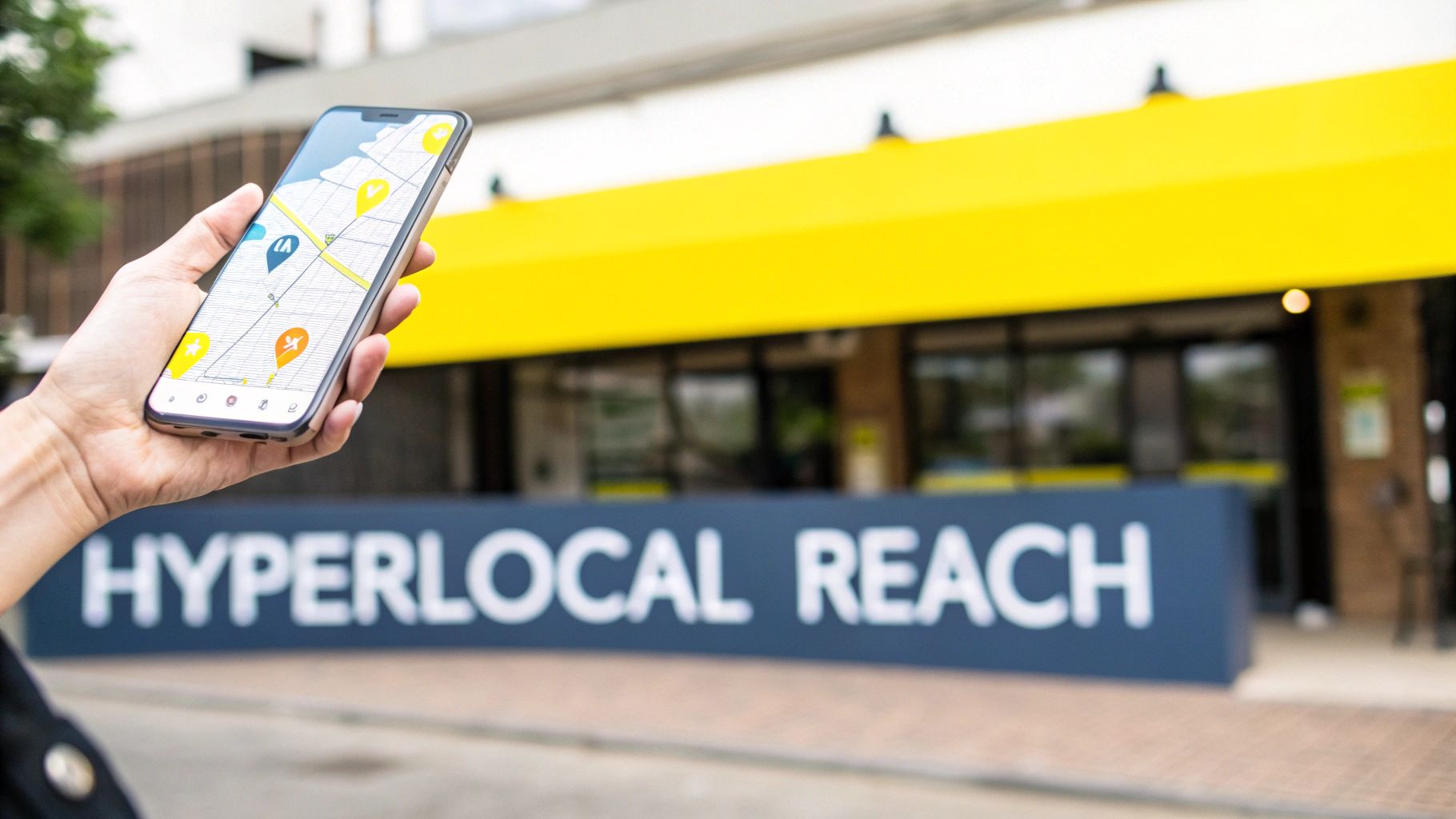
The most direct approach is radius targeting. You literally plug in your business address and tell Facebook to show ads to everyone within, say, a 5 or 10-mile circle. For businesses that depend on a tight, immediate customer base—think pizzerias, barbershops, or dry cleaners—this is a fantastic starting point.
But don’t just set it and forget it. You have to think deeper. Where do your best customers live versus where do they work or hang out on weekends? This is where you can get more strategic by dropping multiple pins in specific, high-value zones.
Going Beyond the Basic Radius
Dropping pins lets you get way more surgical with your targeting. A home services contractor, for instance, could drop pins on a few affluent suburban neighborhoods where they know their services are in high demand. A downtown café could target the massive office parks nearby to catch the lucrative lunchtime crowd.
This pin-drop strategy is all about being present where your customers are throughout their day, not just where they sleep. It’s a small tweak that can make your ads feel incredibly relevant and completely change your results.
Let's walk through a real-world scenario. A boutique fitness studio in a dense downtown area might start with a tight 2-mile radius around their physical location. But they could get much smarter by also dropping additional pins with a 1-mile radius on:
Major corporate headquarters: Targeting professionals looking for a workout on their lunch break or after work.
Upscale residential high-rises: Reaching residents with disposable income and an interest in wellness.
Popular brunch spots and health food stores: Connecting with a health-conscious crowd right where they spend their free time.
This mix of a broad local net with hyper-targeted hot spots is a game-changing formula for almost any local business.
Layering Demographics and Interests
Location is just layer one. The real magic happens when you start stacking Facebook’s rich demographic and interest data on top of your geography. This is how you find not just people nearby, but the right people nearby.
Get inside the head of your best customer. What are their hobbies? What life events are they going through? What other local businesses or national brands do they love?
You aren't just targeting a zip code; you're targeting a person within that zip code. By layering interests like "home improvement" or life events like "recently moved," a local hardware store can reach new homeowners at the exact moment they need a hammer, paint, or advice.
This is what turns a generic ad into a timely, welcome solution. A wedding venue can target couples with the "Engaged" relationship status. A local landscaping company can find "New Homeowners" who are also interested in "Gardening." This level of specificity is what separates the wildly profitable local campaigns from the ones that barely break even.
Unlocking Your Warmest Audiences
Chasing new customers is crucial, but don’t forget about the goldmine you're already sitting on: the people who already know and trust you. Facebook gives you the tools to tap into this group and create your most powerful audiences.
Custom Audiences are built from your own data. The single most effective way for a local business to do this is by uploading a customer list (with emails and phone numbers). Facebook securely matches this data to user profiles, letting you serve ads directly to people who have bought from you before. It’s perfect for re-engaging past clients, promoting a loyalty program, or announcing a new service.
Once you have that, you can create Lookalike Audiences. This is where Facebook’s algorithm really flexes its muscles. It analyzes the common traits, behaviors, and interests of your best customers (your Custom Audience) and then goes out and finds a brand new group of people in your target area who look just like them.
A 1% Lookalike Audience is the most potent, as it contains people who are the most similar to your source list. It's like cloning your best customers and introducing them to your business. For any local business that’s serious about growth, this is a non-negotiable. It systematically finds your next best customer using hard data, not just guesswork.
Crafting Ad Copy and Offers That Actually Convert
Getting your ad in front of the right locals with laser-focused targeting is just the first step. If your creative and offer don't grab them, you’ve wasted your money. Think of it as your digital handshake—it's the first impression you make in a crowded Facebook feed where you have seconds, maybe less, to stop the scroll.
For local businesses, authenticity almost always wins. People in your community want to see the real you, not some slick, corporate facade. I've seen a quick video shot on an iPhone, showing a team at work, absolutely crush a professionally produced commercial. Why? Because it feels real and builds instant trust.
Your Irresistible Offer is Everything
Let's be blunt: the single most important part of your ad is the offer. A weak or confusing offer will torpedo even the best-targeted campaign. You need to present something so compelling and low-friction that your ideal customer feels like they’d be a fool to pass it up.
The magic is in immediate value and minimal commitment. A local chiropractor offering a "Free Consultation & Digital Spine Scan" is a perfect example. It's a powerful, low-risk entry point that provides clear value without asking for a credit card upfront.
Here are a few offer formulas I’ve seen work time and time again for local businesses:
The First-Visit Incentive: This is gold for businesses like cafes, salons, or gyms. An offer like "50% Off Your First Specialty Coffee" or "$20 Off Your First Haircut" is a simple, effective way to get new customers through the door.
The Problem-Solution Package: If you're in home services, this is your jam. A roofer offering a "Free 10-Point Roof Inspection Before Storm Season" hits on a timely, specific local concern. It’s a no-brainer for a homeowner.
The Value-Added Bonus: This works beautifully for higher-ticket services. A med spa could run an ad for a "Free Skincare Analysis ($150 Value) with Any Facial Booking." The bonus dramatically increases the perceived value of the core service.
The goal is to make saying "yes" easy. Your offer must solve a pain point or fulfill a desire and provide a simple first step. Once you've nailed your offer, you can explore broader strategies to generate leads online and grow your business to really amplify your results.
Writing Ad Copy That Speaks to Your Neighbors
Your ad copy needs to sound like it came from down the street, not from a boardroom. Ditch the jargon and corporate-speak. Write like you're talking to a neighbor over the fence.
A simple but killer formula for local ad copy is Problem > Agitate > Solve.
Hit the Problem: Start by calling out a pain point you know your audience feels. * Example: "Tired of weekend DIY projects turning into week-long headaches?"
Agitate It: Gently twist the knife by reminding them of the frustration. * Example: "That 'small' plumbing leak can quickly turn into a costly disaster."
Be the Solution: Introduce your business and offer as the clear, easy fix. * Example: "Let our licensed team handle it. This week only, get a free, no-obligation quote on any plumbing repair."
This structure just works. It meets customers where they are and walks them straight to your doorstep.
Pro Tip: Always, always write your headline and first sentence with a local angle. Mentioning a specific neighborhood, a local high school, or even a well-known landmark instantly signals that your ad is for them, making it far more powerful than a generic message.
Mastering Your Ad Creative
The visuals—your images and videos—do the heavy lifting. They're what physically stop the scroll. For local businesses, authentic content is your superpower.
Video is King: Seriously. Even a simple 15-30 second video can blow a static image out of the water. A local contractor can build immense trust by filming a short clip walking through a finished project, pointing out the quality of their work. A restaurant owner can make mouths water by showing the chef preparing a signature dish.
Authentic Imagery: Ditch the stock photos. Use high-quality pictures of your actual team, your location, and your happy customers (with their permission, of course). A photo of your friendly receptionist at the front desk is infinitely more relatable than a generic model with a headset.
Finally, make sure your creative is formatted to look sharp on every device. Nothing screams amateur like a poorly cropped image.
Essential Creative Specs
Ad Format | Recommended Resolution | Aspect Ratio | Key Details |
|---|---|---|---|
Single Image | 1080 x 1080 pixels | 1:1 (Square) | Your go-to for Instagram and Facebook feeds. Keep text on the image minimal. |
Video (Feeds) | 1080 x 1350 pixels | 4:5 (Vertical) | Takes up more screen real estate on mobile. Always add captions—most people watch with the sound off. |
Stories/Reels | 1080 x 1920 pixels | 9:16 (Full Vertical) | Design for a sound-on, immersive experience. Think fast cuts and engaging visuals. |
Carousel | 1080 x 1080 pixels | 1:1 (Square) | Perfect for showcasing multiple products, services, or even testimonials in one interactive ad. |
When you pair a no-brainer offer with authentic, locally-focused copy and visuals, you create an ad that doesn’t just get seen—it gets results.
Connecting Ads to Real-World Sales with Tracking
Running brilliant Facebook ads without tracking is like driving a fast car blindfolded. You might be moving, but you have no idea if you're headed for a wall or the finish line. To truly understand if your ad spend is actually bringing in new customers, you have to connect your campaigns to real-world actions.
This is where the Meta Pixel and Conversions API (CAPI) come in. Think of these tools as your digital detectives. They are completely non-negotiable for proving that your Facebook ads for local business are actually working. Without them, you’re just guessing which ads are making the phone ring and which ones are just burning cash.
The Meta Pixel: Your Digital Hand-Raiser
The Meta Pixel is a small piece of code you install on your website. It’s a tracker that fires whenever a user who saw your ad takes a specific action—like filling out a contact form, booking an appointment, or even just visiting a key page. It’s the essential bridge between what happens on Facebook and what happens on your business's website.
For a local business, this is incredibly powerful. Imagine a home services company running an ad for a "Free Estimate." When someone clicks the ad, lands on the website, and submits the form, the Pixel tells Facebook, "Hey, this person just became a lead!"
This data does two critical things for you:
It proves ROI: You can see exactly how many leads a specific ad generated, letting you calculate your true cost per lead.
It feeds the algorithm: It teaches Facebook's system what your ideal customer looks like, helping it find more people just like them.
Tracking isn't just about pretty reports; it's about optimization. The data from the Pixel actively makes your future campaigns smarter and more efficient, lowering your costs over time by showing ads to people who are much more likely to convert.
Getting the Pixel installed is a foundational step. Most website platforms like WordPress, Shopify, or Squarespace have simple integrations that make the setup process manageable, even if you're not a tech wizard.
Why You Also Need the Conversions API
Years ago, the Pixel was all you needed. Not anymore. With increasing privacy measures like iOS updates and the rise of ad blockers, the Pixel can sometimes miss data. This is where the Conversions API (CAPI) steps in as its reliable partner.
CAPI works alongside the Pixel but sends data directly from your server to Facebook's server. It’s a more robust, server-to-server connection that isn't affected by browser-side issues. This creates a much more complete and accurate picture of your ad performance, filling in the gaps the Pixel might leave behind.
Implementing both gives you the best of both worlds: the real-time, browser-based data from the Pixel and the durable, server-side data from CAPI. This combination ensures you have the most reliable data possible to measure your results accurately.
This whole process—from the ad components to the final conversion—relies on proper tracking to measure what’s actually effective.
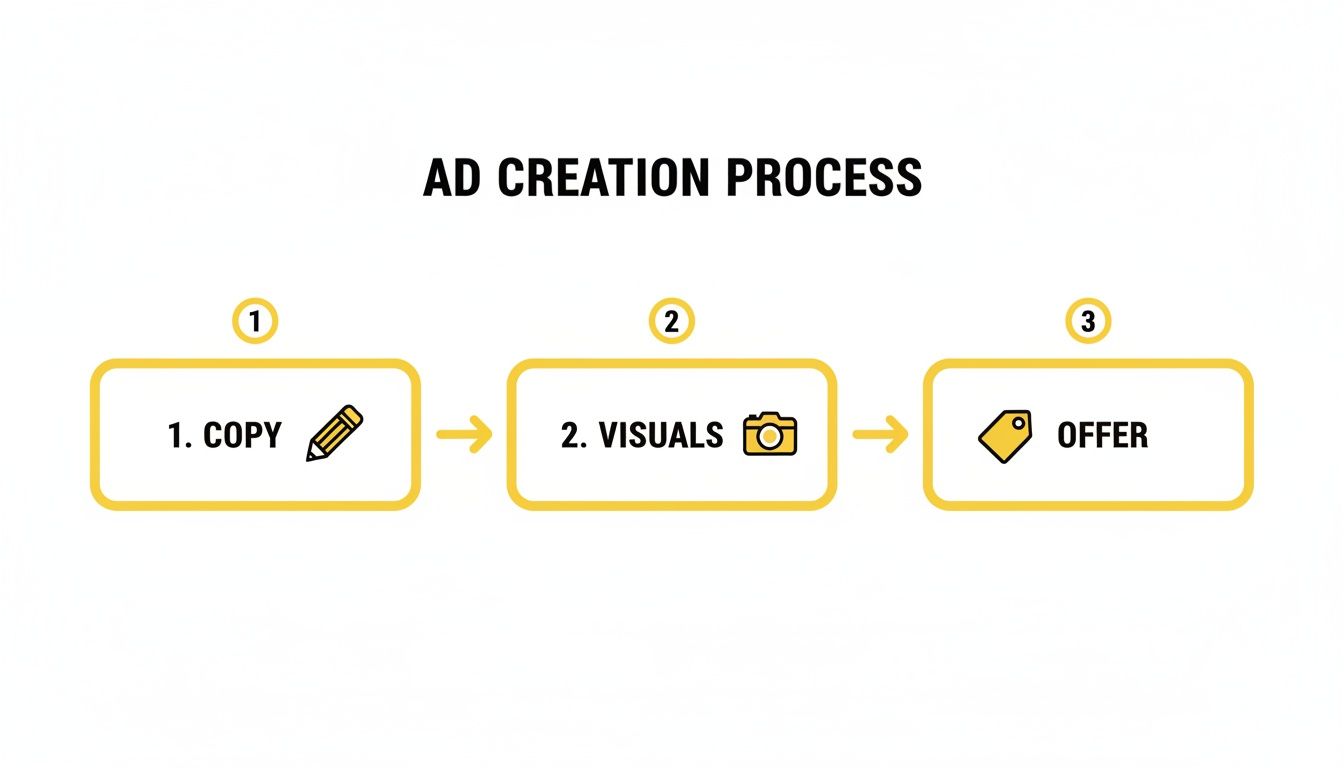
A winning ad is always a combination of compelling copy, engaging visuals, and an irresistible offer, which all lead to the conversion you're tracking. Without the tracking, you're flying blind on which part is working.
Setting Up Your Key Conversion Events
Once your tracking is in place, you need to tell Facebook what actions actually matter to your business. These are your "conversion events." You don't need to track every little thing; focus on the high-value actions that signify a new potential customer.
For most local businesses, these are the essential events to track:
Lead: This is your bread and butter. It fires when someone completes a contact form, signs up for a newsletter, or requests a quote.
Schedule: If you have an online booking system, this event should fire the moment an appointment is successfully booked.
CompleteRegistration: This is perfect for when a user signs up for a webinar, an open house, or a special event you're hosting.
By setting up these specific events, you can directly tie your ad spend to tangible business outcomes. You'll know with certainty that your campaign didn't just get clicks—it generated 15 qualified leads for your med spa or booked 10 consultations for your financial advisory practice. This is how you move from just spending money on ads to investing in predictable growth.
Smart Budgeting and Bidding Strategies for Local ROI
Alright, you’ve got your targeting locked in and your tracking is ready to roll. Now for the big question everyone asks: "How much should I actually spend?" This is where most local business owners get stuck, but it’s simpler than you think. You don't need a Fortune 500 budget to win here, but you absolutely need a smart plan.
Whether you're starting with just $15 a day or you have a few thousand a month to work with, the fundamentals of running profitable ads are the same. It all boils down to your budget settings and how you tell Facebook to bid for you.
You've got two main levers to pull: Daily Budgets and Lifetime Budgets.
Each one has its time and place. A daily budget is your steady hand, delivering your ads consistently every single day. On the other hand, a lifetime budget gives the algorithm more freedom to spend aggressively on days when it sniffs out better opportunities, which can sometimes squeeze more results out of your total spend.
Daily Budget: This is my go-to for "always-on" campaigns. Think lead generation for a plumbing company or a dentist. You want a predictable, steady presence.
Lifetime Budget: Perfect for campaigns with a hard stop. Use this when you're promoting a Black Friday sale, a real estate open house, or a special event.
Decoding Your Bidding Strategy
Your bidding strategy is basically you giving Facebook marching orders on how to spend your cash in the ad auction. This one decision has a massive impact on your costs and how many results you get. For local businesses, it really comes down to two main options.
Highest Volume (Lowest Cost)This is the default setting for a reason, and frankly, it's where you should almost always start. You’re telling Facebook, "Get me the most leads you possibly can for the money I'm giving you." The algorithm then goes to work hunting down the cheapest conversions it can find. It’s the perfect way to launch a campaign and let Facebook’s machine learning figure things out fast.
Cost Per Result GoalThis is for when you want to take the wheel. You're telling Facebook, "I want leads, but I refuse to pay more than $25 a pop." The algorithm will then try its best to keep your average cost right at or below that number. This is a powerful move for businesses that know their numbers inside and out—specifically, what a new customer is truly worth to them.
My process is simple: always start with Highest Volume. Let the algorithm do its thing and gather data. Once you're getting a steady stream of conversions and you know your baseline cost, then you can switch to a Cost Per Result Goal to lock in your profitability as you start spending more.
Calculating Your Target Cost Per Acquisition
Before you can even think about setting a Cost Per Result Goal, you have to know your numbers. Running profitable Facebook ads for a local business isn’t about chasing cheap clicks; it’s about buying customers for less than you make from them. That means you need a target Cost Per Acquisition (CPA).
Here's the back-of-the-napkin math I walk clients through:
Figure Out Your Customer Lifetime Value (LTV): What’s a new customer really worth? Don't just think about the first sale. A med spa client might spend $2,000 over their first year. That's your LTV.
Know Your Lead-to-Customer Rate: Be honest here. Out of all the leads you get, how many actually become paying customers? If you sign up 1 out of every 5 people who inquire, your close rate is 20%.
Calculate Your Max CPA: Now, just multiply your LTV by your close rate. For our med spa, that's $2,000 x 20% = $400. This is the absolute most you could pay to get a customer and still break even.
But we're not here to break even. Your target CPA—the number you actually aim for in your ads—needs to be well below that maximum. I advise clients to aim for a target CPA that's 25-50% of their max. In this case, shooting for a $100-$200 CPA builds in a healthy profit margin.
This simple calculation completely changes the game. Your advertising stops being an expense and becomes a predictable, growth-driving investment.
How to Analyze and Scale Your Winning Campaigns
Getting your ad campaigns live is just the starting line. The real magic—and the real money—happens when you get good at reading the results and smartly scaling what's working. This is the pivot point where you stop just spending money and start making predictable, profitable investments in your business's growth.
Don't let the ocean of data inside Facebook Ads Manager intimidate you. For a local business, only a few key metrics actually tell you what's going on. You need to focus on what moves the needle, not vanity metrics like reach or impressions that don't pay the bills.
Reading the Reports That Matter
When you open your reports, you have to know exactly what you’re looking for. The first thing I always do is customize my columns to show the data that directly impacts the bottom line. It’s all about cutting through the noise to find the real signals.
For any local campaign, these are the only metrics I really obsess over:
Cost per Result (CPR): This is your North Star metric. Whether a "result" is a lead form submission, a booked appointment, or a direct sale, this number tells you exactly what you’re paying to get it.
Link Clicks vs. Landing Page Views: This one is a great diagnostic tool. If you see a huge gap between the number of people clicking your ad and the number of people who actually see your landing page, you’ve likely got a slow-loading website that's killing your conversions.
Frequency: This simply shows the average number of times someone has seen your ad. Once that number starts creeping up past 3-4, it’s a red flag for ad fatigue.
Click-Through Rate (CTR) (Link): This is a pure measure of how compelling your ad is. A CTR below 1% is a strong sign that your image or headline just isn't resonating, and it’s time to test something new.
Focusing on just these KPIs gives you an instant, clear snapshot of your campaign's health.
The Decision Framework: Kill, Keep, or Scale
Let your campaigns run for at least 3-5 days before you touch anything. You need enough data to make smart calls. From there, I use a dead-simple framework I call "Kill, Keep, or Scale," and it all hinges on that target Cost Per Acquisition (CPA) we figured out earlier.
Let's imagine a real estate agent has a target CPA of $50 for a new seller lead.
Kill: Any ad set or individual ad that's bringing in leads for way more than $50 gets shut down. I usually wait until it’s spent at least 2x my target CPA before making the call. Don't get emotional about an ad you love; the numbers don't lie.
Keep: Ads performing right around that $50 mark are doing their job. They're stable. I just let them run while I focus my energy on the clear winners and the definite losers.
Scale: An ad set that’s delivering leads for $25 is a goldmine. This is where you want to pour more fuel on the fire, but you have to do it carefully.
When you've got a winner, the key is to scale the budget slowly. A huge, sudden jump in budget can throw the algorithm for a loop and mess up your performance. My rule of thumb is to never increase a daily budget by more than 20% every 48 hours.
This disciplined approach is how you systematically cut the fat from your ad account and double down on what’s actually making you money.
Beating Ad Fatigue and Finding New Winners
Here’s a hard truth: even your absolute best-performing ad will eventually die out. People get tired of seeing it. This is ad fatigue, and it will kill your results if you’re not prepared.
The secret to long-term success with Facebook ads for a local business is to always be testing new creative.
Your top-performing ad becomes your "control." Your job is to constantly pit new "challengers" against it to see if you can find a new champion. The trick is to test one variable at a time so you know exactly what made the difference.
Run a new headline against your winning image.
Test a simple video against your winning static image.
Try a different call-to-action button, like "Learn More" vs. "Get Offer."
This cycle of continuous testing and optimization is what separates campaigns that fizzle out from those that become reliable, scalable growth systems for your business, month after month.
Got Questions? We've Got Answers.
Even with the best playbook, questions are bound to come up. It's totally normal. Here are some of the most common ones we hear from local business owners just dipping their toes into Facebook ads, along with some straight-up answers.
How Much Should My Small Business Really Be Spending on Ads?
Look, there’s no magic number here. But you absolutely don’t need a massive war chest to get the ball rolling. You can genuinely start seeing what works with as little as $10-$15 a day on a single campaign. The secret isn't how much you spend, but how smart you spend it.
The real game-changer is dialing in your target Cost Per Acquisition (CPA). Once you figure out what a new lead is actually worth to your business, you can set a budget that gives the algorithm enough runway to hunt down those leads without breaking the bank. Sure, a bigger budget gets you data faster, but a smaller, consistent spend is the perfect way to learn the ropes.
Should I Be on Facebook or Google Ads?
This isn't an "either/or" fight; it's about understanding customer intent. Think of it this way: Google Ads are fantastic for catching people with their hands up, actively searching for what you do right now (like someone typing in "emergency plumber near me"). They have a problem, and they want it solved.
Facebook, on the other hand, is all about creating that demand in the first place. You’re reaching people based on who they are, what they’re interested in, and what’s going on in their lives—even if they haven't started looking for your service just yet.
For almost any local business, the knockout strategy is using both. Use Facebook to build your brand and get on people's radar. Then, use Google to be right there waiting when that awareness turns into a direct search.
How Long Before I Start Messing With My Ads?
Patience. Seriously. This is probably the hardest part for any business owner. You have to give the algorithm time to do its job, learn who your customer is, and gather real data. Making knee-jerk changes after a day or two is one of the fastest ways to kill a potentially great campaign.
As a solid rule of thumb, let any new campaign or ad set run for at least 3-5 days before you even think about making a big decision. Don't touch the budget, don't pause anything. This gives Facebook enough time to get out of its "learning phase" and gives you reliable data to actually base your next move on.
Ready to stop guessing and start getting predictable, profitable results from your advertising? The team at Wojo Media specializes in building omnipresent campaigns that turn ad spend into real-world growth. Book a free demo call with us today to get a custom strategy tailored for your local business.
Right around the time I was checking https://paynplaycasinosite.net for some new reads, this post came up—and the advice on matching objectives to actual business goals is spot on. It’s a helpful nudge to stop chasing awareness and start optimizing for the calls and bookings local businesses really need.