.png)
How to Create YouTube Video Ads: The 2026 Playbook

Average YouTube ad view rates hover around 31.9%, while costs commonly sit between $5 and $10 per thousand impressions, so creative speed and tight hooks matter more than budget size. To create YouTube video ads that convert, build the message around the campaign objective, match the runtime to the viewer action you want, and adapt one creative system across Shorts, in-stream, and connected TV.
YouTube gives advertisers enormous reach, but scale doesn't rescue a vague offer or a slow opening. A viewer can skip, scroll, switch devices, or continue watching on a television, often before your brand has made its case. The practical challenge in 2026 isn't just uploading a video. It's designing creative that earns attention quickly, makes the brand memorable, and gives every placement an execution that fits the viewing context.
Why YouTube Ads Still Deliver When Other Platforms Stall
YouTube's advertising business reached $40.37 billion in 2025, and the platform reaches approximately 2.53 billion users worldwide, according to industry reporting compiled from Alphabet disclosures and platform-reach data in YouTube advertising statistics. That scale changes the economics of creative decisions. A weak opening doesn't merely underperform in a small test. It can waste exposure across a global audience before the team identifies the problem.
The average view rate sits near 31.9%, average CPV is reported around $0.026, and average CPM commonly falls between $5 and $10 in the same benchmark source. Those figures don't mean every campaign will achieve the same costs. They do show why a campaign with a modest media budget still needs disciplined scripting. If the first visual takes too long to explain the offer, the buyer pays to introduce a story that viewers never finish.
Viewer control changed the creative brief
YouTube's ad formats were built around different levels of viewer control. Google explains that bumper ads are non-skippable and last 5 to 6 seconds, while skippable in-stream ads can run up to 60 seconds in some campaign subtypes. Non-skippable in-stream ads can run from 15 to 60 seconds, depending on the format, and ads can appear as in-feed thumbnails, in-stream video, or Shorts playback through Google's YouTube ad format guidance.
That history matters. TrueView skippable ads launched in 2010, after pre-roll advertising and sponsored videos began appearing in late 2008, creating the viewer-controlled logic that still shapes YouTube today. A strong ad assumes the viewer may leave, then makes the first moments useful enough to earn the next moment.
The hidden cost is under-scoped creative
A common production mistake is commissioning one polished video when the campaign needs multiple openings, lengths, aspect ratios, and calls to action. The media plan may look complete, but the creative team has supplied only one version for a placement mix that demands several.
A direct-response brand might begin with a customer problem in one cut, lead with the offer in another, and use a product demonstration in a third. The work isn't wasted when each version preserves the same positioning. It becomes a testing system that reveals which promise earns attention and which message creates action.
Practical rule: Plan the creative matrix before the shoot. Decide which hooks, lengths, formats, and offers need distinct executions, then produce the master footage to support them.
For broader context on the business side of the platform, ways to earn from YouTube ads is a useful resource for understanding how creators and brands can think about advertising revenue beyond a single campaign.
Planning and Scripting for Fast Hook Retention
The script should answer one question immediately: why should this viewer keep watching? Google frames effective video creative through four actions, Attract, Brand, Connect, and Direct. Treat that sequence as a production checklist, not a slogan. First earn attention, then make the advertiser recognizable, create relevance or emotion, and finish by telling the viewer what to do.
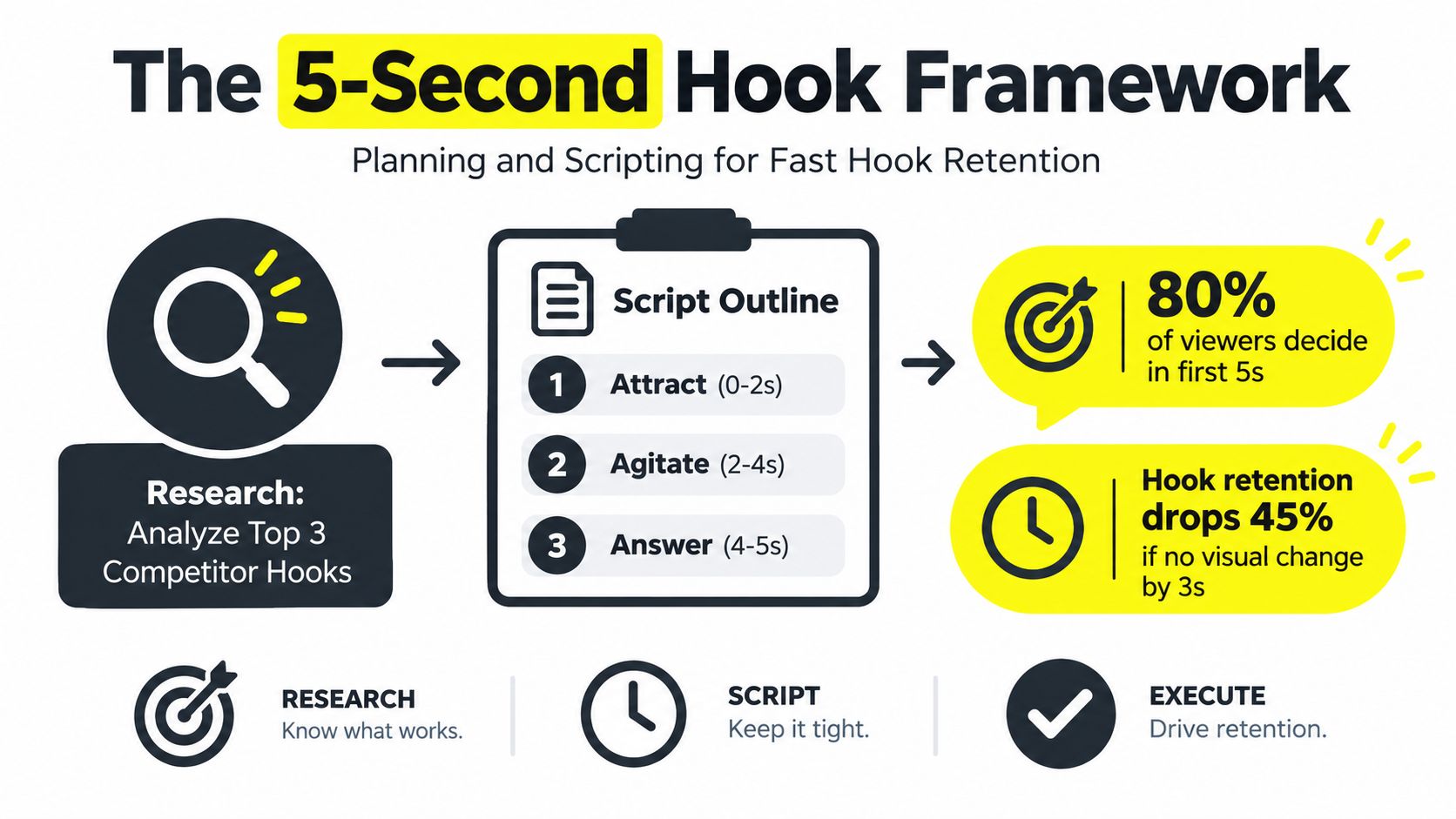
Start with the opening five seconds. Put a visual change, product cue, or human problem on screen rather than beginning with a logo animation or company history. A brand visual and product cue should appear within those first five seconds, and the spoken script should mention the brand naturally rather than leaving recognition to the final frame.
Build the script around four jobs
Attract with tension. Lead with a sharp question, visible outcome, surprising demonstration, or specific frustration. “Still paying for leads that never answer?” gives the viewer a reason to evaluate the next line.
Brand the solution early. Show the product, interface, package, storefront, or service environment while the viewer is still deciding whether to stay. Early branding prevents a memorable idea from becoming an unbranded idea.
Connect the promise to a real situation. Use a customer scenario, before-and-after demonstration, founder explanation, or creator testimonial. The story doesn't need elaborate production. It needs a clear relationship between the viewer's problem and the advertised solution.
Direct one action. End with the same CTA in voice and on-screen text. Ask for one next step, such as booking, shopping, comparing, or learning more. Multiple competing actions make measurement harder and weaken the close.
Current US data reported in Google's guidance says ads with a human voice drive 12% higher conversions on average, text overlays drive 3% higher conversions, and showing the brand in the first five seconds drives 4% higher conversions. These figures are based on July 2026 US data and are detailed in Google's video ad creation guidance. Use them as creative priorities, not guarantees for every account.
Write for sound-off and sound-on viewing
The visual must communicate the premise without depending entirely on narration. Add concise text overlays that reinforce the spoken point, keep captions legible on mobile, and use product close-ups when the offer depends on a physical feature. Then make sure the audio adds information rather than reading the exact words already displayed.
Repeat branding at least three times across the ad, but vary the form. The product can appear in the opening, the brand can be named during the explanation, and the logo or branded end frame can support the CTA. For more production ideas, Veo3 AI video ad tips can help teams explore faster concept development while keeping the script focused on the offer.
Choosing Between UGC and Produced Styles
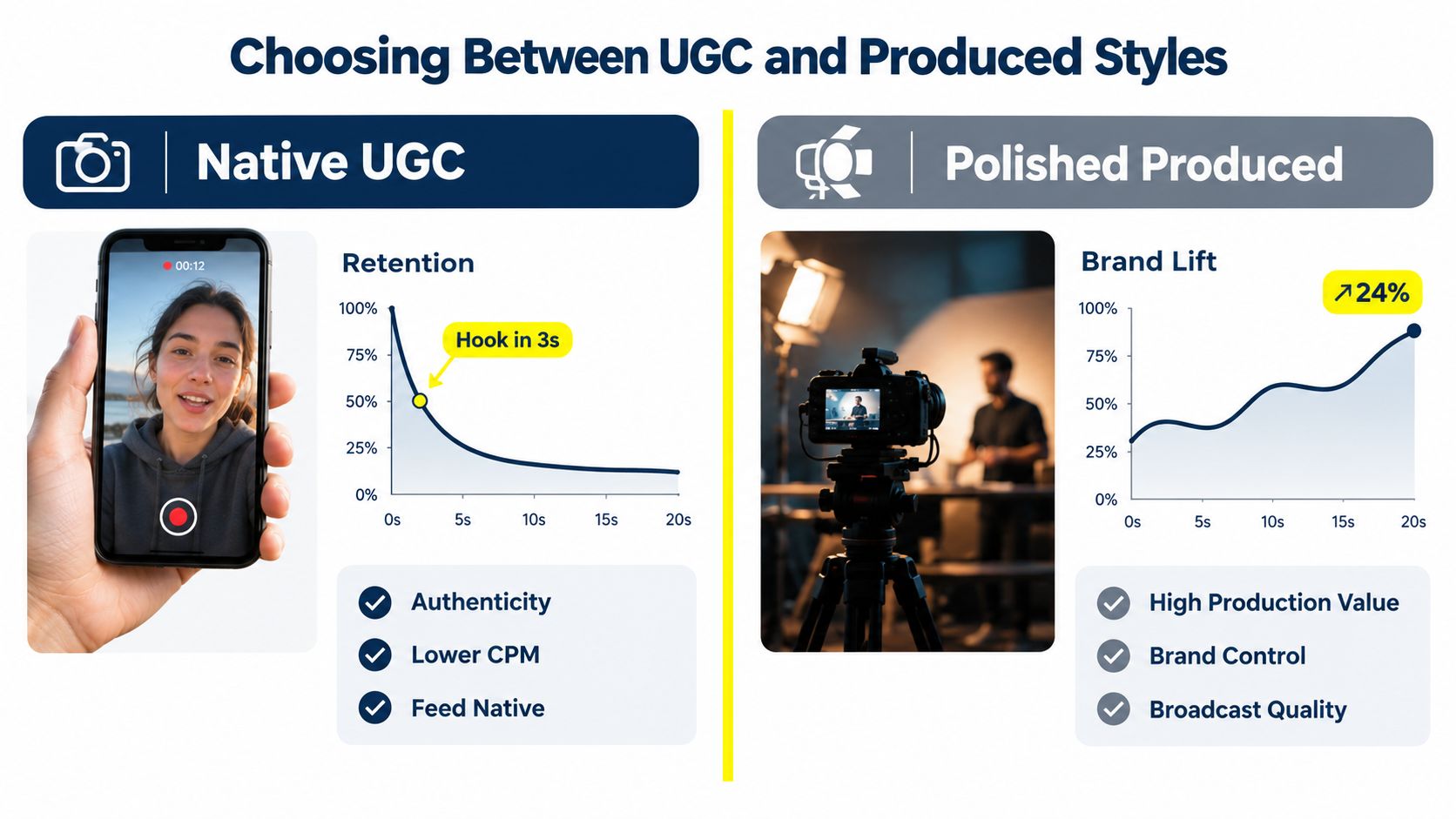
The right production style depends on what the viewer needs to believe. UGC and creator-led ads make sense when the buyer wants social proof, a candid explanation, or evidence that the product fits a familiar routine. Produced creative earns its place when visual quality supports premium positioning, demonstrates a product in detail, or gives a local brand a consistent identity across campaigns.
An e-commerce brand testing a new offer usually benefits from UGC-style variations first. A creator can present the problem in several ways, test different objections, and show the product in a setting that feels native to the feed. The team can then keep the strongest opening and rebuild it with more controlled footage if the message proves commercially useful.
A local service business may choose a different path. A med spa, home-services company, or real estate practice might need polished shots of the facility, team, equipment, or neighborhood. In that situation, production quality can help establish trust, but the ad still needs a direct opening. A cinematic establishing shot that delays the service explanation is expensive decoration.
Compare the trade-offs before filming
Creative approach | Works well when | Main risk | Production priority |
|---|---|---|---|
Native UGC | The offer benefits from relatability and fast testing | The message feels improvised or under-branded | Clear hook, believable delivery, strong captions |
Creator-led testimonial | Customers need reassurance or practical proof | The creator becomes more memorable than the product | Product visibility and repeated brand cues |
Polished produced spot | The brand relies on premium presentation or visual demonstration | The opening becomes slow and overly formal | Fast edit, controlled framing, direct CTA |
A large-scale analysis of 5,000 ads found that placing a strong hook early, showing a brand visual and product cue within the first five seconds, mentioning the brand in speech, repeating branding at least three times, and closing with a CTA in text and audio consistently improved attention and brand recall, according to the analysis of YouTube ad performance benchmarks. Those patterns apply to both a phone-shot creator ad and a studio production.
The production style should support the buying decision, not substitute for one.
For a practical visual explanation of hook construction and creative pacing, the following video offers another reference point:
Don't decide between UGC and produced footage as a matter of taste. Decide after identifying the objection, proof point, and viewing environment. A creator saying “I used this because…” may outperform a polished product montage when trust is the barrier. A controlled demonstration may outperform UGC when the buyer needs to inspect quality, precision, or finish.
Matching Length to Objective Instead of Guessing
Ad length should match the job the video must perform. Awareness usually needs one clear idea delivered quickly. Consideration may require proof, objection handling, and product context. Conversion creative can run longer when each additional beat removes uncertainty, but repeated lines turn extra runtime into wasted spend.
The format sets the first boundary. Bumper ads run for 5 to 6 seconds and are non-skippable. Skippable in-stream ads can run up to 60 seconds in some campaign subtypes, while non-skippable in-stream ads can run from 15 to 60 seconds, depending on the format. In-feed placements work differently because viewers choose to open the video from a thumbnail. The title, thumbnail, and first frame therefore carry more of the initial burden.
Use completion and intent together
Shorter ads are generally easier to finish. Innovid benchmark data cited by Seer Interactive reports desktop completion of 82.66% for ads of 10 seconds or less, 76.26% for 15-second ads, and 74.23% for 30-second ads. Click performance moved in the opposite direction in the same benchmark, with desktop CTR at 0.18% for ads of 10 seconds or less, 0.39% for 15-second ads, and 0.66% for 30-second ads, according to YouTube video ad length analysis.
Completion alone can produce the wrong winner. A short cut may earn more full views while leaving buyers without enough information to click or submit a lead. A longer cut may lose some viewers but create stronger intent among those who stay. Judge the format against the campaign action, not a single video metric.
Format | Duration | Best use case |
|---|---|---|
Bumper | 5 to 6 seconds | Fast awareness, reminder, or reach support |
Short skippable in-stream | Brief, focused cut | One promise, product cue, and CTA |
15-second non-skippable | 15 seconds | Compact message when forced viewing is appropriate |
30-second in-stream | 30 seconds | Offer explanation, proof, or direct-response intent |
Longer-form creative | 2 to 3 minutes | Consideration when story and branding need depth |
Google's studies found that 2- to 3-minute creative delivered the highest consideration lift and cost efficiency in its research. That result supports longer edits only when the narrative earns its runtime and the brand appears throughout the experience. A long ad with a delayed point can increase production cost without improving revenue.
The hidden cost of under-scoping length is creative rework. A six-second awareness idea cannot always carry the proof needed for in-stream conversion or CTV viewing. Build enough footage and messaging options to create short, medium, and longer cuts, especially as campaigns increasingly run across Shorts, in-stream, and CTV.
Length test: Keep the offer and audience constant, then compare a concise cut with a deeper version. Judge completion alongside downstream action before choosing the winner.
Scope the edit around the objective. For awareness, remove beats that do not reinforce recognition. For consideration, keep the demonstration or objection handling that helps the viewer decide. For conversion, show the CTA before the final frame so ready buyers can act without waiting.
Adapting One Creative System Across Formats
Shorts, in-stream, and CTV aren't separate creative worlds, but they aren't interchangeable placements either. The mistake is producing one horizontal video, cropping it automatically, and expecting the same opening, framing, captions, and CTA to work everywhere. A cross-format system keeps the strategic idea consistent while changing the execution for the screen and viewing behavior.
Start with a master message, not necessarily a single master file. Define the audience problem, offer, proof, brand cue, and action. Capture enough footage to support a vertical creator-style cut for Shorts, a more expansive in-stream version, and a television-friendly edit with readable text and clear audio from a viewing distance.
Preserve the framework, change the execution
For Shorts, put the face, product, or visual conflict in the center-safe area and make the opening feel native to vertical discovery. Keep the spoken premise understandable without a long setup. Creator-led delivery can make the ad feel less like an interruption and more like a useful recommendation.
In-stream gives you more room to develop a demonstration or qualify the viewer. The first moments still need to work before a skip, but the middle can carry proof that a Shorts edit may not have space to show. Use a separate edit rather than stretching the vertical cut into a horizontal canvas.
CTV needs a different discipline. Text must remain simple and readable, sound design needs to carry the message, and the CTA should be easy to remember or act on from a television environment. Don't rely on tiny interface details that make sense on a phone but disappear across a room.
Build reusable production modules
Hook modules: Record several openings that express the same customer problem from different angles.
Proof modules: Capture demonstrations, testimonials, comparisons, or process footage that can move between cuts.
Brand modules: Prepare product shots, verbal brand mentions, logos, and end frames in multiple compositions.
CTA modules: Create action-specific endings for shopping, lead generation, booking, or content engagement.
AI-powered buying is shifting budget across Shorts, in-stream, Search, and CTV according to ROAS goals, so asset teams need modular creative rather than isolated campaigns. Recent industry coverage on emerging YouTube ad trends for 2026 describes that broader inventory shift, including Shorts discovery and shoppable CTV.
Teams building direct-response libraries can also review ad creative strategies for DTC for ideas on structuring variants. The useful principle is simple: preserve the promise and brand logic, then adapt the first frame, pacing, crop, captions, proof sequence, and CTA to the placement.
Uploading and Configuring Campaigns in Google Ads
Campaign setup starts with the business outcome, not the upload button. Select awareness, consideration, traffic, or conversions, then align the creative, bidding, and measurement events with that choice. The cheapest view is not a useful win if the account needs qualified leads or purchases.
Upload the video to YouTube, link the relevant Google Ads and YouTube accounts, and build the campaign in Google Ads. Choose the objective, attach the correct assets, and use the ad editor to assemble each version. Review the Google Ads video campaign setup guidance before production is locked, because format and placement eligibility can affect which creative versions the campaign may serve.
Check the campaign structure
Before launch, verify:
Objective and bidding: Optimize toward the event that reflects the business result, not a cheaper but weaker proxy.
Asset eligibility: Confirm that the campaign subtype supports the intended format, placement, aspect ratio, and length.
Audience and geography: Match targeting to the offer, service area, language, and customer profile.
Budget pacing: Set enough spend for useful signals, while avoiding conclusions from an underfunded test.
Conversion tracking: Test the landing-page action, lead form, purchase, or booking event from click through to reporting.
Targeting may include audience signals, placements, topics, keywords, demographics, and available first-party data. Start with a clear hypothesis about who should respond and why. Broad targeting can help the system find opportunities, but it cannot fix a weak offer, poor qualification, or creative that loses attention before the message appears.
The 2026 buying environment makes the pre-launch review broader than a single YouTube placement. A creative system may run across Shorts, in-stream, and CTV, so check crops, captions, audio, branding, and calls to action in every available preview. A file uploading successfully proves only that the file passed the upload step.
The campaign is ready when the objective, asset versions, targeting, eligibility, tracking, and landing experience support the same commercial goal. Any mismatch can turn a technically active campaign into expensive, difficult-to-diagnose traffic.
Testing, Measurement, and Scaling for Profitable Growth
A useful YouTube test changes one meaningful creative variable while keeping the business context stable. That variable might be the opening claim, presenter, product demonstration, CTA, or runtime. If the team changes the audience, offer, landing page, and edit simultaneously, the report may show a result without explaining what caused it.
Start with the attention signals. View rate indicates whether the opening earns continued viewing, CPV shows the cost of a view under the campaign's billing conditions, and completion helps reveal whether the runtime creates friction. None of those metrics proves profitability by itself.
Read the report as a sequence
Attention: Did the viewer stay long enough to receive the premise?
Brand recognition: Did the ad expose the brand and product before the viewer left?
Intent: Did the viewer click, search, visit, add to cart, submit a form, or take another meaningful action?
Business result: Did the action become revenue or a qualified opportunity at an acceptable cost?
The length data illustrates why a single-metric dashboard creates bad decisions. Ads of 10 seconds or less reported higher desktop completion than 30-second ads, while 30-second ads reported stronger desktop CTR in the Innovid benchmark cited earlier. If the campaign objective is lead generation or sales, cutting every ad to maximize completion may remove the explanation that creates intent.
Measurement discipline: Don't promote a creative because it wins the view-rate column. Promote it when attention, downstream action, and economics point in the same direction.
Pull winners by component, not just by file. The winning ad may owe its result to the first line, the product demonstration, the creator's delivery, or the offer framing. Rebuild those elements into new variants so the account keeps learning instead of repeatedly serving one exhausted asset.
Scale the system, not just the spend
Keep the proven promise: Preserve the claim that attracts qualified viewers.
Rotate the opening: Create new hooks around the same customer problem before performance weakens.
Extend the winner: Adapt the best concept for Shorts, in-stream, and CTV rather than forcing one crop everywhere.
Protect the landing experience: Make sure the page repeats the ad's promise and gives the viewer the expected next step.
Review profit signals: Scale the formats and audiences that create profitable outcomes, not merely inexpensive views.
That is how to create YouTube video ads as a repeatable growth process. Plan the message, produce modular footage, match length to intent, configure eligible placements, and use measurement to decide what deserves another dollar.
Wojo Media offers scripted and edited vertical and horizontal video assets for platforms including YouTube Shorts, along with paid advertising and conversion-focused creative support. If you want help building a cross-format YouTube system and testing it against real business outcomes, visit Wojo Media to explore the agency's approach and request a strategy conversation.
Comments