.png)
How to Get Leads from Google That Actually Convert

Your Google Ads account shows more clicks, the form notifications keep arriving, and your calendar still has gaps. The person answering the phone says the leads aren't right. Your marketer says the campaigns are converting. Both might be telling the truth, because they're measuring different things.
Learning how to get leads from Google means connecting the search, the promise, the inquiry, and the eventual sale. Search campaigns, Maps, useful website content, and CRM tracking need to work together, not produce separate reports that nobody can reconcile.
Why Google Leads Stall Before They Convert
Consider a home-service owner reviewing the week. Search spend is up, inquiries look healthy, but the dispatch team hasn't booked enough work. Some callers want a service the company doesn't provide. Others live outside the service area, and a promising inquiry sat unanswered while the crew was on a job.
A coach can face the same problem with different symptoms. People download a resource or submit an application, but they aren't ready for paid help. The dashboard labels them conversions even though the sales team would never consider them qualified prospects.
For an e-commerce brand, the disconnect might sit between email acquisition and purchase. A discount signup isn't the same as a customer. If the campaign reports success at the signup while the owner expects profitable orders, the disagreement starts with the measurement.
Find the handoff that failed
These are illustrative situations, not case studies. They point to distinct problems that need different fixes:
The query wasn't commercial. Someone looking for instructions, employment, or free advice reached a campaign designed to sell a service.
The promise changed after the click. An ad or Maps listing suggested availability, location, or an offer the destination page didn't support.
The conversion was too easy to count. A low-intent form submission looked successful in the ad account but meant little to the business.
Nobody handled the inquiry. A relevant prospect asked for help, but nobody took responsibility for getting them booked.
Don't respond to every problem by buying more traffic. More clicks won't correct the wrong service area, and a redesigned page won't fix an unanswered phone.
Practical rule: Before changing the campaign, identify the last action the prospect completed and the next action your team failed to secure.
Separate traffic from pipeline
Pull recent inquiries and inspect their actual outcomes. Read the search terms where available, check the page they reached, and ask whoever handled the conversation why it progressed or stalled.
Choose the Google surface according to the buying situation. An urgent service request belongs in a different acquisition path from a research-heavy coaching decision or a product purchase.
The useful distinction is attention versus commercial progress. Click-through rate describes an interaction with a search result. A qualified appointment or completed sale tells you whether the business received something valuable. Keep those measures separate so a busy dashboard doesn't hide an empty calendar.
Build Search Campaigns Around Buying Intent
Build Search campaigns around what someone is trying to buy, not every phrase related to your industry. A tax advisor offering planning services shouldn't treat a search for professional help like a search for a free tax calculator.
Start with the offer, the buyer's problem, and the conditions under which you can deliver. Then select queries that fit those conditions.
Organize demand before writing ads
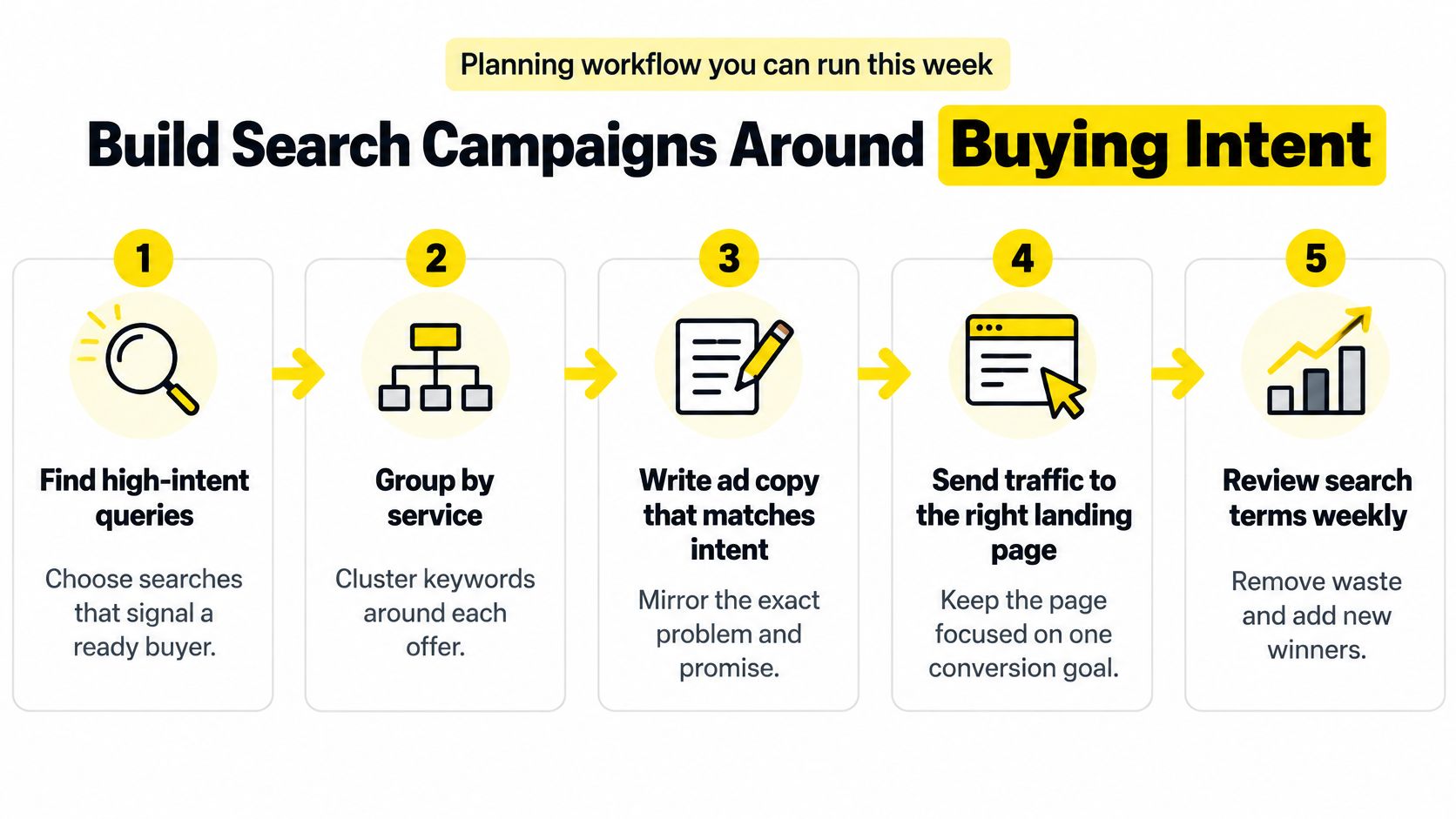
Use a practical planning sequence:
Find commercial queries. Look for service, location, urgency, and appointment language. To distinguish general interest from purchase readiness, consult CapyScout's guide to buying signals while building your initial query list.
Group by offer. Keep related services together, but separate offers that require different promises or qualification criteria.
Separate campaign economics. Give brand, nonbrand, competitor, and location campaigns distinct reporting. Don't let familiar-name searches conceal weak new-customer acquisition.
Choose intent controls. Use exact and phrase match where appropriate, then inspect actual search terms rather than assuming a match setting guarantees relevance.
Assign a destination. Send each group to the relevant service or offer page, not whichever page is easiest to reuse.
Keep this workflow visible while building the account.
A competitor campaign deserves particular scrutiny. Someone searching for another provider may be comparing options, or they may want that provider's phone number. Treat those intentions differently when evaluating lead quality.
Diagnose before increasing bids
Review search terms weekly. Add negatives for irrelevant requests, but don't exclude a phrase merely because it sounds informational. Inspect whether it produces useful conversations before deciding.
Read performance by device, geography, audience, and query category before raising bids. A campaign-wide average can conceal an unserviceable location or a group of queries that attracts the wrong customer.
WordStream's analysis of more than 16,000 campaigns, running from April 2024 through March 2025, reported an average Search conversion rate of 7.52%; industry mix, attribution settings, lead definitions, traffic quality, and conversion windows make that a diagnostic baseline, not a universal target (WordStream's Google Ads benchmarks).
Before comparing your account with that baseline, exclude page views and duplicate forms from lead totals, include relevant phone inquiries, and keep branded traffic identifiable. Otherwise, you're comparing different definitions of success.
Test a single variable at a time: the offer, headline, proof, form length, call asset, or bidding target. Wait for enough conversion activity to make the comparison useful, and don't scale before you can assess qualified-lead rate. Search structure creates the opportunity. It doesn't prove that the resulting clicks deserve more budget.
Turn Google Maps Into Booked Appointments
Who stops Google from showing yesterday's hours, an incorrect location pin, or a phone number that doesn't match your website? If nobody owns that question, your Business Profile isn't being managed as a customer-facing operation.
A 2025 customer-experience survey reported Google as the preferred search method for 97.69% of respondents, with 37.46% searching for local businesses and 61.68% suggesting listing changes involving details such as hours, categories, and location pins (Social Places' digital-marketing customer-experience survey). Those are survey findings, not universal population estimates, but they make listing accuracy difficult to dismiss as occasional housekeeping.
Treat profile accuracy as lead qualification
For a med spa, outdated availability can create appointment requests the front desk can't honor. A home-service company can receive calls from areas it won't cover. A real estate office or tax advisor can attract people seeking services it no longer offers.
The issue isn't whether prospects find you. It's whether they find an accurate version of your business.
Use the checklist to inspect what a prospective customer can see.
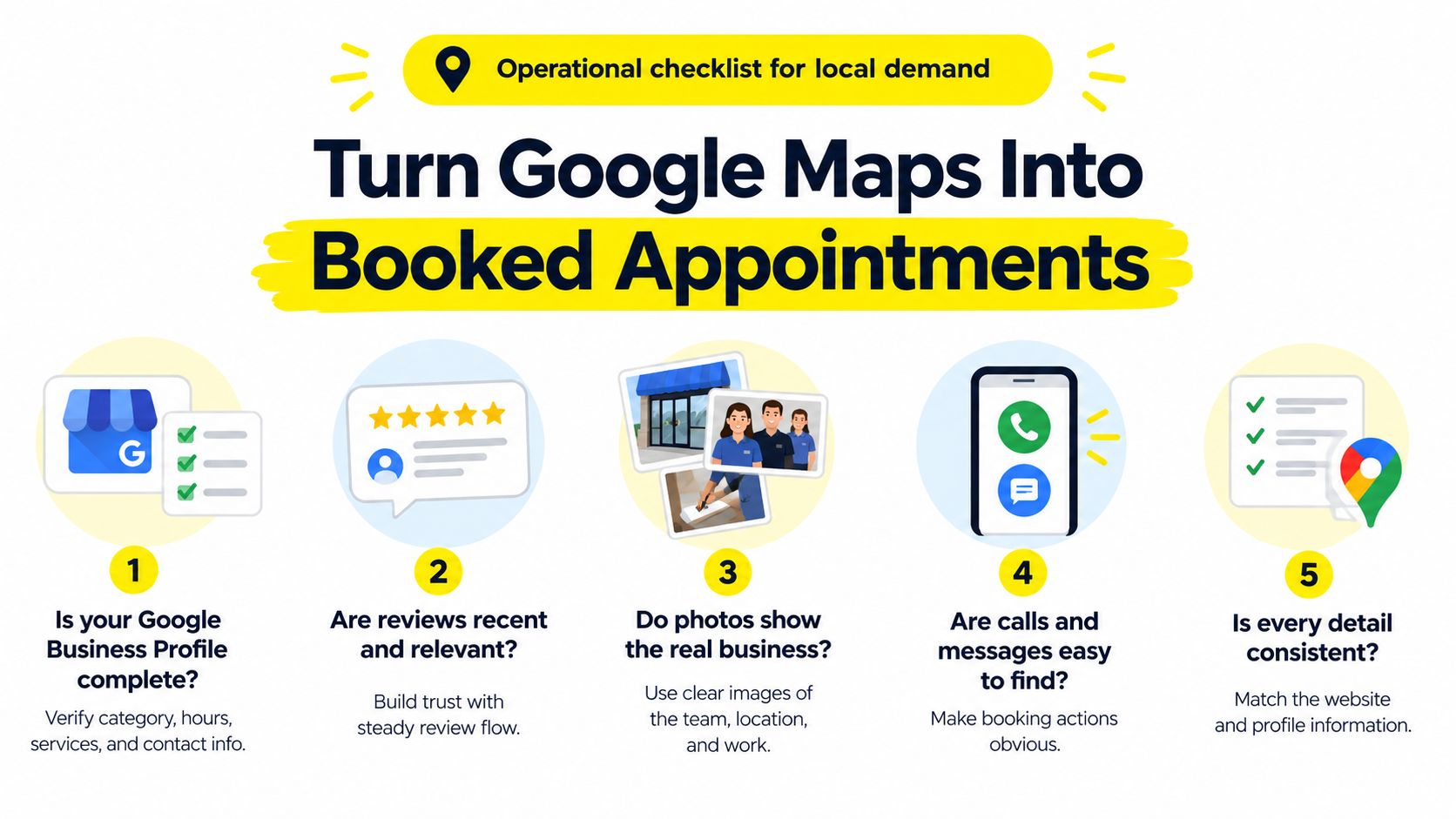
Assign a primary owner and a backup for profile maintenance. Limit editing access to people who understand the business, and make reviewing suggested changes part of their routine.
Check operational details. Reconcile hours, holiday availability, phone numbers, appointment links, and location information with the website.
Keep categories and service areas honest. Describe work the team currently accepts, not everything it might eventually offer.
Connect actions to outcomes. Use suitable call tracking and a CRM lead-source field to distinguish a Maps inquiry from a booked customer.
Judge the appointment, not the view
Consider a hypothetical home-service company that removes an inaccurate service area and corrects its availability. Raw inquiries fall because fewer unsuitable prospects call. Staff can then spend more time handling serviceable requests and booking work. That would be a useful improvement, not a reason to restore the inaccurate information.
For clinics considering automated call handling, Chimehill's AI receptionist comparison is a resource for evaluating options. Assess any system against your actual scheduling rules, escalation needs, and ability to record outcomes, rather than treating answered calls as completed appointments.
More map views aren't valuable if the details send people to the wrong place or toward an appointment you can't deliver.
Inspect booking links yourself. Call the published number. Ask the front desk what callers expected when they reached you. Those checks connect listing maintenance to the conversations your team handles.
Earn Clicks When AI Overviews Shrink the SERP
A prospect can now read a synthesized answer before deciding whether to visit a website. That changes the question from earning a ranking to becoming a source worth consulting and citing.
Search behavior matters most when the buyer is still comparing approaches, providers, or products.
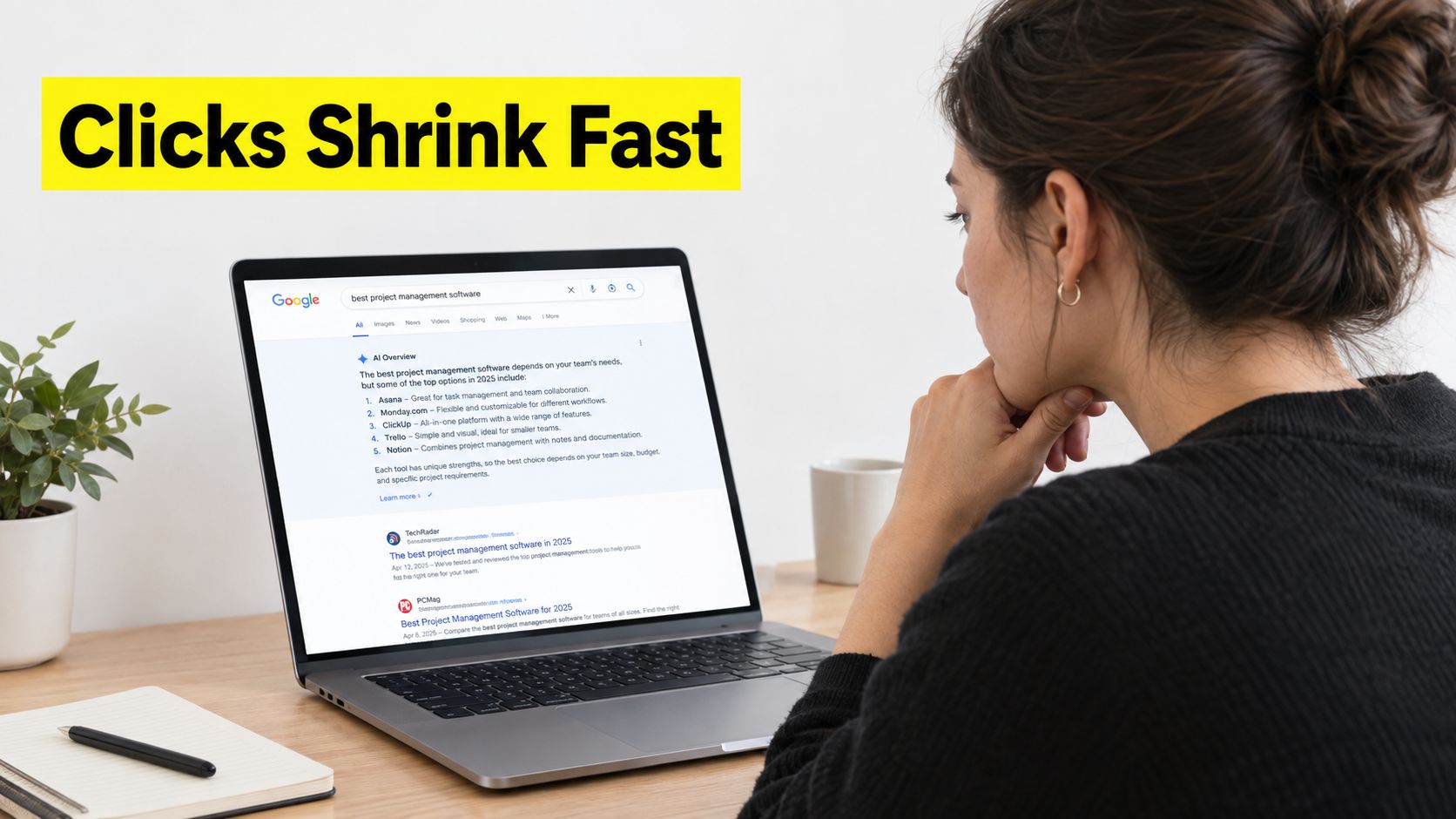
Seer Interactive analyzed more than 3,100 queries across 42 organizations, from June 2024 through September 2025, finding that queries showing AI Overviews experienced a 61% decline in organic CTR and a 68% decline in paid CTR, while cited pages received 35% more organic clicks and cited advertisers received 91% more paid clicks than non-cited brands (Seer Interactive's AI Overview analysis).
Those findings don't establish that adding a particular page element causes citation or sales. They support a more careful approach: evaluate visibility, citation, and commercial outcomes together instead of assuming every lost click represents lost business.
Build a page worth referencing
An answer-ready page should help a buyer even if no AI system ever cites it. Put a direct answer near the top, explain the conditions behind it, and provide evidence the reader can inspect.
Use original proof. Include genuine process details, documented examples, or original data you can substantiate.
Name the responsible expert. Identify who developed or reviewed the advice and why their experience is relevant.
Specify the service context. Explain where you operate, who the offer fits, and what changes the recommendation.
Use consistent terminology. Make the service description and conversion path understandable without forcing visitors to translate between different names for the same offer.
A coach could explain who an engagement suits, how delivery works, and when another type of support would be more appropriate. An agent could publish a locally specific explanation of a selling decision with clearly stated assumptions. A home-service page could explain repair-versus-replacement considerations and when an inspection is necessary.
These are citation candidates, not guaranteed citation tactics. Don't turn a substantive service page into a thin collection of questions merely to imitate an answer format.
For additional context on the search environment, use the accompanying video.
Measure what happens beyond the click
Before blaming a decline on AI Overviews, establish a historical comparison. Month17's guide to using GSC history to assess search changes provides a useful starting point for that investigation.
Track assisted conversions, branded searches, calls, forms, and qualified opportunities separately from last-click CTR. Keep observations distinct from assumptions about what caused them.
Fewer search clicks can still leave a commercially useful stream of visitors, particularly when people arrive after seeing your business referenced. The test is whether those visitors progress, not whether a traffic chart returns to its previous shape.
Match Landing Pages to Qualified Lead Tracking
The landing page must continue the promise that brought the visitor there. Its headline, offer, evidence, and requested action should fit the ad, Maps action, or cited answer, without forcing the prospect to search for the relevant service again.
A tax-planning consultation needs a different qualification path from a coaching application. A product buyer may need a purchase option rather than a call request. Choose the action that represents genuine progress for that offer.
Which Google Lead Path Fits the Offer
Path | Best fit | Primary signal | Do not optimize for |
|---|---|---|---|
Form submission | Initial inquiry capture while downstream measurement is being established | A valid, unique inquiry | Duplicate forms or page views |
Imported qualified lead | Services, coaching, tax advice, and real estate with meaningful screening | A prospect meeting documented fit criteria | Every person who submits contact details |
Imported converted lead | Appointment-led or sales-led offers with recorded outcomes | A verified business outcome | An unverified booking request |
Purchase conversion | E-commerce offers customers can buy directly | A completed order tied to revenue | Email signups treated as equivalent to sales |
Form capture is useful. Form-fill optimization becomes a problem when you keep rewarding inquiries that the business consistently rejects.
A shorter form may attract more submissions while creating more screening work. A more selective form may discourage unsuitable prospects but also deter good buyers. Judge that trade-off by what happens after submission, not by the form's completion rate alone.
Send the business outcome back to Google
Define CRM stages in language the sales team can apply consistently: submitted lead, contacted lead, qualified lead, appointment, and sale. Document what qualifies someone for each stage, and assign values where they represent meaningful commercial differences.
Then establish the attribution chain:
Enable auto-tagging. Capture the case-sensitive Google Click ID, or GCLID, from ad landing-page URLs.
Preserve the record. Store the identifier with the prospect's CRM entry and consented first-party information such as email or phone.
Return downstream outcomes. Use offline conversion workflows or Enhanced Conversions for Leads to upload the conversion name, timestamp, and optional value.
Google states that Enhanced Conversions for Leads uses hashed customer data to improve attribution and bidding performance, with implementation guidance covering GCLID storage and qualified or converted lead goals (Google's Enhanced Conversions for Leads guidance).
Preserve timestamps, deduplicate records, and upload available outcomes consistently. Hashing isn't a substitute for obtaining appropriate consent or handling customer information responsibly.
Bidding guardrail: Don't tell the platform that every inquiry is equally valuable when your sales team knows otherwise.
You can build this connection internally, coordinate a specialist with your CRM administrator, or use an agency. One option is Wojo Media, the Tampa-founded firm that bolts onto existing brands: founder Jason Wojo onboards clients around the offer and guarantee, conversion-focused pages, omnipresent Google and social creative, and backend KPIs.
Whichever route you choose, name the event your bids are allowed to learn from. It should represent a business outcome you can verify, not merely the easiest action to count.
Follow Up Until a Lead Becomes Revenue
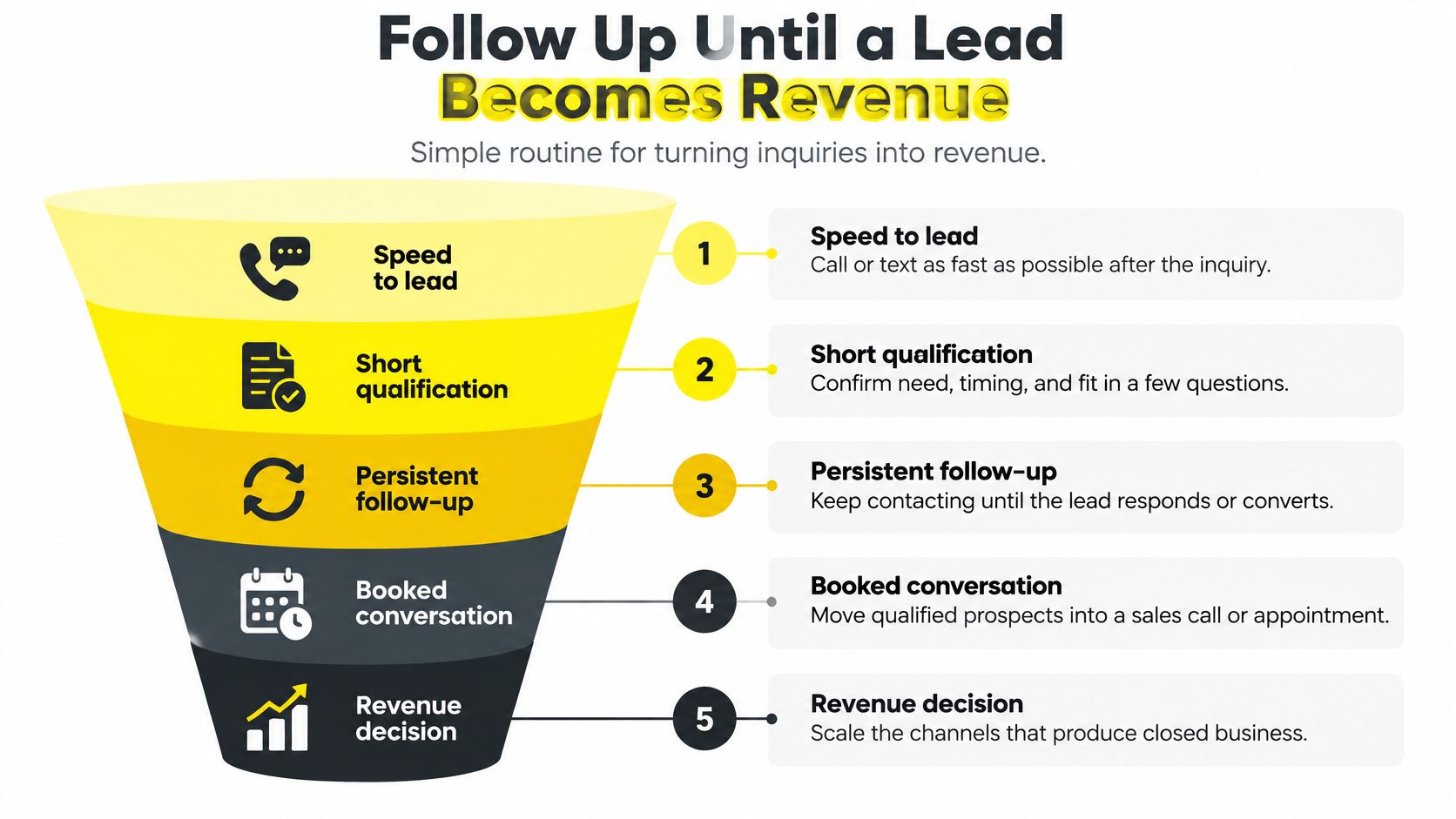
Assign ownership before the next inquiry arrives. Someone needs responsibility for contacting the prospect, checking fit, securing the next step, and recording the outcome. An inbox notification isn't an operating routine.
Call or text promptly through the channels the prospect has agreed to use. Confirm what they need, when they need it, and whether your business can help. If they're qualified, offer an actual appointment rather than leaving the conversation at a vague promise to reconnect.
Use this funnel as a handoff check, not permission to contact someone indefinitely.
Make the response fit the inquiry
For a home-service request, confirm the problem, address, serviceability, and available appointment window. If the request involves work you don't accept, record that reason instead of leaving the inquiry marked as pending.
For a coaching application, discuss the applicant's objective, current obstacle, readiness, and fit with the program. A booked sales conversation should reflect a plausible match, not just willingness to take a free call.
For a real estate lead, clarify whether the person wants to buy or sell, the relevant area, their timing, and the help they're requesting. Give them a concrete next action appropriate to that situation.
When prospects don't respond, use a documented follow-up cadence with clear ownership and stopping conditions. Honor opt-outs and stop when someone declines. Record unreachable, unsuitable, booked, and closed outcomes separately so the campaign doesn't learn from incomplete sales records.
Use economics to decide whether to scale
The search benchmark covering 16,446 Google Ads and Microsoft Ads campaigns, running from April 2024 through March 2025, reported 6.66% average CTR, $5.26 average CPC, and $70.11 average cost per lead; CPC rose 12.88% year over year, while cost per lead rose 5.13% and conversion rate improved 6.84% (search advertising benchmark economics). Its conversion-rate baseline was discussed earlier.
Those aggregate results illustrate why higher click costs don't tell the whole story. Better post-click performance can partially offset more expensive traffic, but your account needs its own evidence.
Build the operating scorecard around cost per qualified lead, appointment rate, close rate, and revenue. Before raising budget, check:
Sales capacity. Can the team handle additional inquiries and deliver the promised appointments?
Qualification consistency. Are staff applying the same acceptance criteria?
Outcome completeness. Have unresolved inquiries received follow-up and accurate CRM updates?
Commercial return. Does the resulting business justify acquisition and fulfillment costs?
Start with a focused test: map a single offer to the Google surface that fits it, fix the destination page, and choose a meaningful conversion event. Keep it controlled until qualified-lead economics are stable enough to support a budget decision.
Wojo Media offers help connecting the offer, landing page, Google advertising, and backend measurement into a paid-acquisition system. Visit Wojo Media to book a free demo call and discuss a custom paid-ads plan built around qualified leads, appointments, and revenue.
Comments