
Facebook Lead Ads Not Working? a Step-by-Step Fix Guide

Stop changing your targeting first. When Facebook Lead Ads are not working, the popular advice is to swap the audience, rewrite the headline, and test another video, but that order wastes budget if the break sits after the click. A campaign can deliver submissions all week while nobody gets contacted, nobody qualifies, and Meta keeps optimizing for the cheapest form fill it can find. I would locate the broken stage before you touch creative.
Find Which Stage of the Funnel Is Broken
A med spa, a roofer, a coach, and a real estate team can all report the same symptom, no booked calls, and still be broken in four different places. Facebook Lead Ads not working is rarely one problem. One stage fails while the rest of the funnel looks healthy enough to send you after the wrong fix. Match this week's numbers to a stage, then change that stage and nothing else until the number moves.
Before the table, run two quiet checks that stop lead delivery without an obvious error in Ads Manager. Confirm the form passed Meta policy review. A disapproved form will not collect anything useful. Then confirm the Page and ad account still grant lead access permissions to the people and tools that need them. An expired permission can strand leads inside Meta while the CRM stays empty.
Read the Symptom Before You Change Anything
Pull the last 7 to 14 days and read the funnel in order. Cost per lead sits in the middle of the chain, so it is the wrong scoreboard when contact, qualification, and bookings are missing. Start with impressions and spend, then form opens, completions, CRM records, contacts, qualifications, and bookings. The first place the count collapses is the working diagnosis.
Symptom | Likely cause | First check |
|---|---|---|
No impressions or spend | Ad not active, restricted, or paused by an automated rule | Ad status and delivery history in Ads Manager |
Spend but few form opens | Creative or placement mismatch, weak ad relevance | Link or form-open rate and ad relevance diagnostics |
Form opens but low completion | Form too long or asks for friction-heavy fields | Form completion rate and number of fields |
Submissions but few CRM records | Broken integration, missing field mapping, or failed webhook | Controlled test lead and CRM receipt |
Leads in CRM but no contact | Slow follow-up, weak routing, or unassigned leads | Median time from submission to first contact |
Contacted but not qualified | Offer or audience attracting the wrong buyer | Qualified-lead rate and cost per qualified lead |
Qualified but few bookings | Sales process, offer, or call handling | Appointment rate and call outcome notes |
Only the first two rows live inside Ads Manager's delivery and relevance diagnostics. The other five sit in form design, integration, routing, and the sales process. A new audience often leaves the same empty calendar because the collapse was never in delivery.
Write the counts in a single column before you interpret them. Impressions, form opens, completions, CRM records, contacts, qualified leads, bookings. A drop from 400 opens to 40 completions is a form problem. A drop from 40 CRM records to 6 contacts is a routing or speed problem. Those two fixes are not interchangeable, and swapping creative will not move either one.
Separate Delivery Problems From Post-Click Problems
No spend means you are fixing delivery, not a funnel. Check whether the ad is active, restricted, incompatible with your placements, or paused by an automated rule you set and forgot. Bid controls belong in that same check. A cap that made sense last month can starve a campaign once competition shifts.
Spend with few form opens is a different break. The ad is reaching people, but the promise is not strong enough to earn a tap, or the placement puts the creative in front of people in the wrong mindset. That row is the one place where new creative is the right first move.
Opens with low completion point at the form, not the traffic. Every extra field asks the prospect to trust you a little more before you have given them a reason to. Phone numbers, income ranges, and open text questions carry the most friction. Count the fields before you blame the audience. Broader conversion optimization advice from JoinBrands covers reducing effort at the point of commitment. On a lead form, test fewer fields before you buy more traffic into the same drop-off.
Put Your Cost Per Lead in Context
A CPL that feels expensive can still be ordinary for the niche and the season. Price alone does not prove the campaign is broken. I treat CPL as a check on whether the form is filling, then I ask what those leads became.
A cheap lead that never turns into a conversation is not a bargain. It's spend with a form attached.
That split matters most for local services, real estate, coaching, and tax funnels, where one booked appointment can pay for a week of submissions. In those accounts, cost per qualified conversation and cost per booked appointment tell you whether the campaign works. Cost per lead only tells you whether the form works.
Say a home services company gets 60 leads at a price it is happy with, but only 18 have working phone numbers and only four book. Calling that campaign a win because CPL beat target hides the rest. The form attracted casual taps, follow-up reached a fraction of them, and the sales team spent its time on people who were never buying.
Find the row that matches this week. Write down the first check, and note which stage's data you have not pulled yet. Plenty of accounts can quote CPL instantly and cannot quote contact rate at all.
Fix the Data Feedback Loop and Follow-Up Speed
Run a controlled test lead before you change a single ad. Submit it yourself, confirm it appears in Meta, then confirm it reaches your CRM with the right field mapping, timestamp, consent status, owner assignment, and notification. Check duplicate handling too, because a lead that creates two records usually gets worked by nobody.
Then confirm the return path. Every status change, contacted, qualified, booked, won, or lost, should travel back through your CRM or the Conversions API. Without those outcomes, Meta learns from submissions alone and goes looking for more people like your cheapest form fillers. The usual breaks are manual CSV exports from Ads Manager, missing custom field mappings, thin account permissions, broken webhooks, and sending only top-of-funnel submissions instead of later sales stages.
Time the Follow-Up, Don't Guess at It
Slow follow-up can make good ads look broken. A 2011 Harvard Business Review audit of 2,241 U.S. companies found that only 37% responded to an online lead within one hour, while 23% never responded at all, and among companies that did respond within 30 days, the average response time was 42 hours. In a separate analysis of 1.25 million leads, organizations that attempted contact within one hour were nearly seven times more likely to qualify a lead than those waiting an additional hour, and more than 60 times more likely than organizations waiting at least 24 hours. Qualification there meant a meaningful conversation with a key decision-maker.
Event | Timestamp to log | Target |
|---|---|---|
Form submission | Meta lead created time and lead ID | Baseline for every other measure |
CRM receipt | CRM record created time | Within 5 minutes of submission |
First automated message | SMS or email sent time | Within 5 minutes of submission |
First human contact | Call or text time and outcome | Within 1 hour of submission |
Escalation | Reassignment time when no contact is logged | At 1 hour with no human contact logged |
Log all five events for every lead. Then look at the gaps, including time zones, weekends, consent-compliant SMS, missed-call text-back, and routing by geography or service. Sales teams in other industries face the same math when they turn manufacturing RFQs into sales conversations, because the inquiry ages whether it's a quote request or an instant form.
Practical rule: if submissions exist but CRM events are missing or delayed, pause creative changes and repair the instrumentation first.
Say a coach's leads land in a shared inbox and someone exports them weekly. The CPL looks fine, the calendar stays empty, and the algorithm keeps learning from people who tapped a form three days ago. Fix the pipe and the clock, and the same ad often starts producing conversations.
How to Audit the Funnel Step by Step
Work from the ad account toward revenue, in order, and don't skip ahead when a later number looks worse. Each step either clears a stage or names the break. The visual below covers the opening moves before you get into the arithmetic.
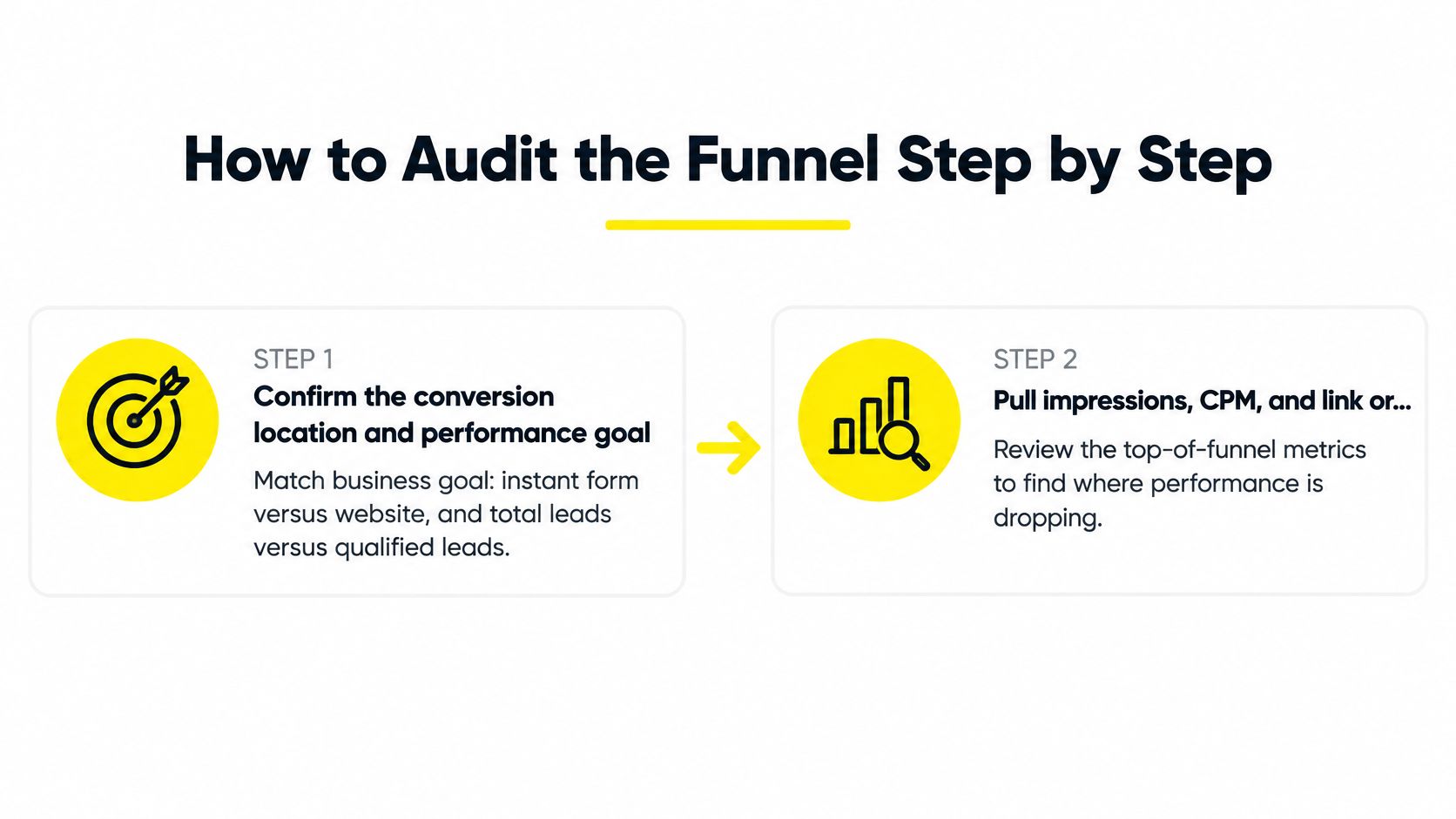
Steps One to Four, From Settings to Reconciliation
Confirm the conversion location and performance goal. Check that instant form, website, or both match where you want the conversion to happen, and that the goal matches the commercial objective. Maximizing total leads and maximizing qualified leads are different instructions, and Meta will follow the one you gave it.
Pull impressions, CPM, and link or form-open rate for the last 7 to 14 days. You're looking for the first drop, not a single bad day. A rising CPM with steady opens is a market cost problem, while steady spend with falling opens is a creative or relevance problem.
Calculate form completion rate as submissions divided by form opens. Do the math yourself rather than trusting a blended column. If opens are healthy and completions aren't, your fields are asking for more than the offer earns.
Reconcile Ads Manager against your CRM by lead ID or email. Remove duplicates before you count anything, because a prospect who submitted twice isn't two leads. Here most accounts discover the gap between what Meta reports and what sales received.
If you collect leads anywhere outside Meta, keep the same reconciliation habit across tools. Whether a submission comes through an instant form or something like Kiwiform's form and survey platform, the record only counts when it lands in the CRM with a timestamp and a source you can trace.
The qualified-lead goal needs a caveat at this stage. It depends on CRM or Meta-source integration, and Meta's help documentation on lead performance goals notes that qualified-lead rate and cost per qualified lead are estimated from CRM events and modeling rather than being a direct count of form submissions. Treat those numbers as directional. Your CRM stage counts are the record you can defend.
Steps Five to Eight, From Contactable to Revenue
Measure contactability. Count the share of leads with a valid phone number or email and a consent status you can act on. A lead you can't legally text or can't reach at a real number isn't a sales opportunity, whatever it cost.
Calculate qualified-lead rate and booked-appointment rate from CRM stages, not from memory. Qualified means the lead met your stated criteria, such as service area, budget, and timeline. Write those criteria down if your team is deciding case by case.
Compute cost per qualified lead and cost per booked appointment, then compare both against revenue per lead. This is the step that exposes the classic failure pattern, where inexpensive submissions produce no booked calls and the campaign looks efficient right up until you check the calendar.
Change one variable only after the broken stage is clear. Hold budget and attribution settings constant while you do it. If you change the offer, the audience, and the form in the same week, you'll know something moved without knowing what.
The scoreboard test: if your weekly review ends at lead count, you are grading the form. Ending at booked appointments grades the campaign.
A raw lead count hides a failing funnel because it rewards the easiest action in the chain. Somebody tapping a prefilled form is low intent by design, and Meta is good at finding people who will do it again. Only your downstream stages tell you whether those taps came from buyers.
That gap between submission volume and sales outcomes is also why two businesses can run similar ads and report opposite results. The one reconciling CRM stages weekly knows which campaigns produce appointments. The one reading Ads Manager alone knows which campaigns produce rows.
For a walkthrough of the audit sequence in practice, watch the process below before you run it on your own account.
Run the full sequence once and you'll have a baseline for every stage. After that, a weekly check only needs the stages where volume moved.
A/B Test Checklist for Offers, Forms and Audiences
Only test after the audit names a stage. Testing is how you fix a diagnosed problem, not how you search for one. If leads aren't reaching your CRM, no audience variant will save you, and if nobody's contacting them, a better hook just produces more uncontacted people. I would rather run one clean test against a known break than five hopeful ones against a feeling.
Test One Variable at a Time
Variable | Change to test | Hold constant | Metric to judge |
|---|---|---|---|
Offer | Clear offer against a guarantee or free assessment | Creative, audience, budget | Qualified-lead rate |
Form friction | Short form against a longer form with one qualifying question | Offer, audience | Completion rate and qualified-lead rate |
Creative | Video hook in the first three seconds, or static against video | Form, audience, budget | Form-open rate and cost per qualified lead |
Audience | Broad against interest or lookalike audience | Creative, form, budget | Cost per qualified lead |
Form type | Instant form against website landing page | Offer, audience, budget | Cost per qualified lead |
Budget | Hold steady through the learning window | Everything else | Delivery stability and conversion volume |
Read the matrix by symptom. Low form opens mean creative earns the first test, because people aren't stopping. Low completion means form friction, because people stop and then leave. High completion with poor qualification means the offer or the form questions, because you're attracting people who'll fill anything out. Audience is rarely the first answer, even though it's the most commonly changed setting.
The Contrarian Case Against Chasing a Lower CPL
Lowering CPL can make results worse. When you optimize for inexpensive submissions, Meta finds inexpensive submitters, and inexpensive submitters are often casual, out of area, price shopping, or filling forms out of mild curiosity. Your dashboard improves while your sales team complains louder, and both of them are telling the truth.
That's why the form friction row deserves respect. Add one qualifying question framed around the decision the buyer is making, such as timeline, service needed, or property type. Completion usually falls, and that's fine, provided the people who finish are the ones your team can help. Judge it on qualified-lead rate, not on submission volume.
Cut your lead volume in half and double your qualified-lead rate, and most local businesses come out ahead.
Form type is worth a genuine test rather than an assumption. In 2023, Meta reported that its Instant Forms generated a 20% lower cost per qualified lead than comparable website forms, based on an analysis of 15 global A/B tests. That makes instant forms a strong default for straightforward offers. A landing page still wins often enough on considered purchases, where prospects need pricing context, proof, or a guarantee before they'll hand over a phone number.
Set the Rules Before You Launch
Run it long enough: collect a comparable number of conversions on both sides before you call a winner, and don't judge a variant on a handful of submissions.
Keep the frame fixed: hold attribution settings and budget constant, since changing either mid-test makes the comparison meaningless.
Judge downstream: compare on cost per qualified lead, never cost per form, and check booked appointments where volume allows.
Write the decision rule first: state the metric, the threshold, and the date you'll decide, so a good first day doesn't end the test early.
Budget deserves its own note. Raising spend partway through a test resets the conditions you're comparing and often pushes delivery toward cheaper pockets of the audience. Hold it steady through the learning window, then scale the winner.
One more discipline separates useful tests from tinkering. Record what changed, when, and what you expected, in the same doc as your stage numbers. Six weeks later, nobody remembers whether the qualified rate improved because of the qualifying question or because the follow-up SLA finally got enforced.
Choose Your Recovery Path Before Spending More
Fix in this order, and don't reorder it because one step is more fun than another. Data loop first, so Meta and your CRM are looking at the same leads. Follow-up speed second, so those leads get a real chance. Then offer and form, then creative and audience. Most accounts run that sequence backwards, which is why they end up with polished creative feeding a broken pipe.
Set a Stop-Loss Before the Next Budget Increase
Write two numbers down before you spend another dollar. First, a spend ceiling tied to your target cost per qualified lead, so a campaign can't burn through a month of budget producing form fills. Second, a review date that triggers automatically if no qualified leads have appeared by then. Without both, the default decision is to let it run another week and hope.
A cheap lead count should never close the review by itself. If cost per qualified lead and cost per booked appointment aren't moving, more budget buys you more of the same problem at higher speed.
Decide Whether This Stays In-House
Keep it in-house if your team can run the funnel audit, repair CRM mapping, and hit your follow-up targets consistently. Those are operational skills, and plenty of small teams handle them well once the stages are visible.
Get outside help if the weak point is the offer, the landing page, or the tracking setup, or if nobody on the team has hours to test properly. That's where we work. A free demo call with Jason Wojo or a growth manager is the first step to building a custom paid ad strategy, and our approach covers four pillars, the offer, landing pages, omnipresent ads, and backend KPIs. Bring your stage-by-stage funnel numbers, your CRM stage counts, and your follow-up timestamps, and the conversation starts at diagnosis instead of guesswork.
Either way, don't spend more until you can name the broken stage. That one habit separates accounts that recover from accounts that just keep refreshing creative.
If your audit points at the offer, the landing page, or tracking you can't fix quickly, we can map a custom paid ads strategy around the stage that's broken, from offer and landing pages to omnipresent ads and backend KPIs. Book a free demo call with Jason or a growth manager, bring your funnel numbers, CRM stage counts, and follow-up timestamps, and visit Wojo Media to get started.
Comments