.png)
Facebook Lead Generation Form: What It Is and How It Works

You've launched a Facebook campaign, leads are arriving, and the cost per lead looks encouraging. Then sales checks the CRM and finds incomplete details, duplicate records, people outside the service area, and prospects nobody contacted promptly. The form worked technically, but the campaign still failed commercially.
A Facebook lead generation form isn't a standalone conversion widget. It's the front end of a system that connects an ad promise to consent, qualification, CRM routing, follow-up, sales outcomes, and optimization feedback. If Meta only receives the signal that someone submitted a form, it may learn to find more people who submit forms. Your business needs it to learn which people become qualified opportunities and customers.
What a Facebook Lead Generation Form Actually Is
A prospect is scrolling through Facebook or Instagram when an ad catches their attention. They tap Get Quote, Sign Up, or another call to action, and Meta opens a native form inside the app. The prospect reviews prefilled details, answers a question or two, and submits contact information without visiting an external landing page.
That format is called an Instant Form, and Meta describes Lead Ads as an in-platform way for businesses to collect contact information for follow-up through Facebook or Instagram. The form is therefore more than an attachment to the creative. It becomes the conversion point where the user confirms interest and gives permission for the advertiser to continue the conversation. Meta's Lead Ads documentation explains the format and its follow-up role.
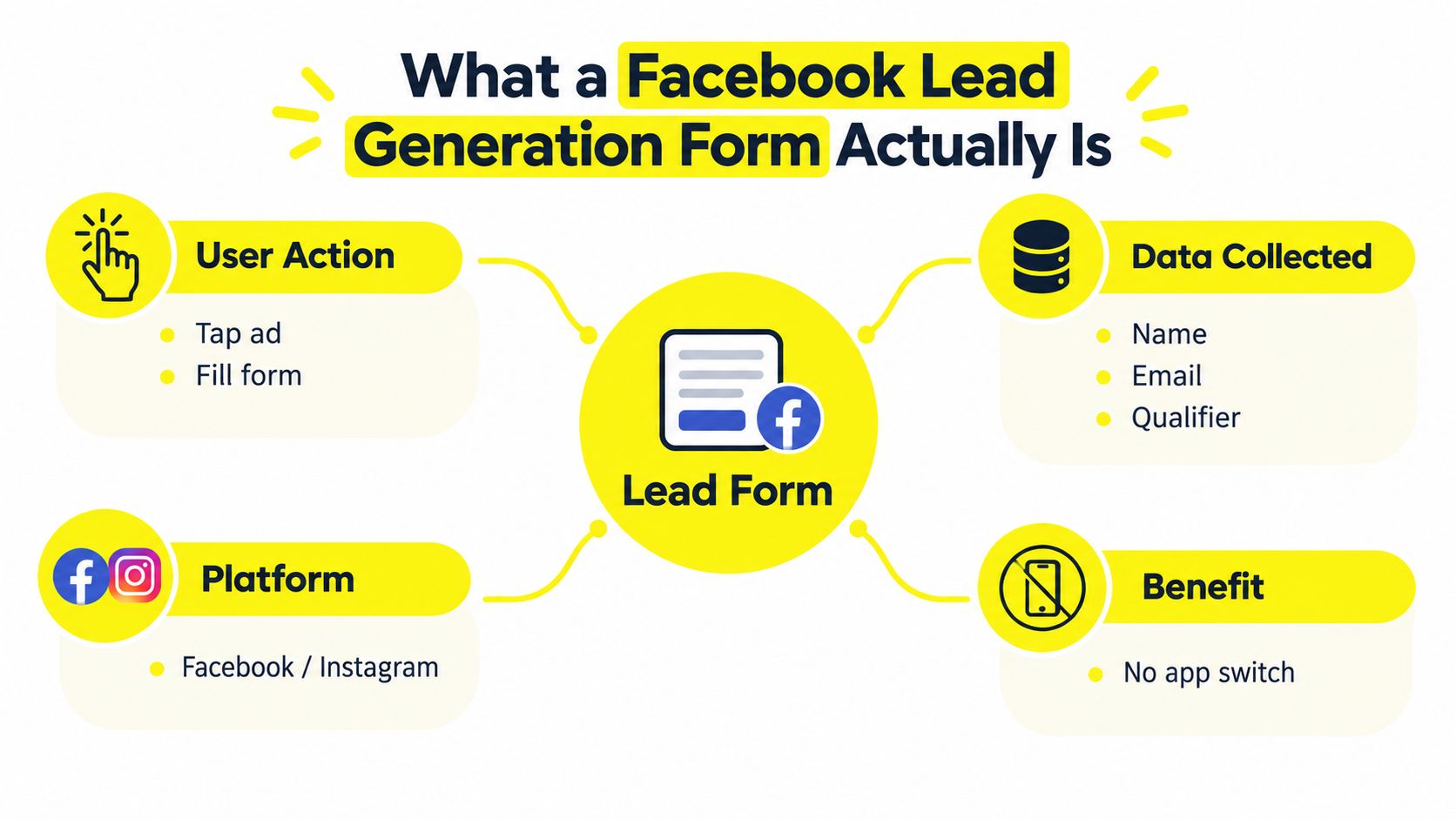
A standard traffic or conversion ad usually sends the click to a website. The visitor waits for the page to load, interprets the page, finds the form, enters information, and submits it. An Instant Form keeps those steps within Meta's environment and can use information already associated with the person's profile. That can reduce submission friction, but it also makes low-intent submissions easier.
Build around the form, not just the ad
A defensible Facebook lead generation form workflow has four parts:
A specific promise: The ad and form should offer a quote, consultation, estimate, registration, financing conversation, or another clear next step.
Useful qualification: Ask only for information that changes routing, prioritization, or sales preparation.
Reliable delivery: Send the lead to a CRM, webhook, or controlled retrieval process instead of leaving it in a platform inbox.
Revenue feedback: Record whether the lead was contacted, qualified, scheduled, converted, or rejected, then return appropriate events to Meta.
That last point matters most. A cheap submission isn't automatically valuable. A form that produces inexpensive volume while sales struggles to reach or qualify prospects is functioning as a data-collection tool, not a profitable acquisition channel.
How Instant Forms Work Behind the Scenes
The user journey is simple, but the underlying workflow has several decision points. The prospect taps the ad's call to action, Meta renders the Instant Form, and available profile information can appear as prefilled fields. The advertiser can add custom questions, including multiple-choice questions and conditional paths that show different follow-up questions based on an earlier answer.
After submission, the lead becomes available through Meta's lead-management tools and can be retrieved through Ads Manager, Meta Business Suite, or a connected CRM. A webhook, CRM integration, or automation platform can pass the record into the sales system, where the business should preserve the Meta lead ID, campaign, ad set, ad, form ID, timestamp, and consent status.
Operator rule: A lead isn't operationally captured until the business can identify its source, assign an owner, and trigger the next action.
A recent U.S. benchmark analysis of 726 Facebook lead-generation campaigns covering activity from April 2024 through June 2025 reported an average 2.59% click-through rate, 7.72% conversion rate, and $27.66 cost per lead. The same analysis reported that conversion declined from 8.67% to 7.72% year over year, while cost per lead increased by 20.94%. These are directional benchmarks, not targets that apply equally to every market or offer. The benchmark analysis from The Ad Spend also makes clear why revenue and qualification data must sit beside CPL.
Four quiet controls that change the economics
Prefill scope affects how much work the prospect must do. Prefilled contact details can help completion, but the business still needs to verify whether the information is current and usable.
Custom-question count changes the balance between convenience and qualification. A location question may protect a local-services team from out-of-area leads. A budget or timeline question may help a consultant prioritize conversations.
The thank-you screen determines what happens immediately after submission. It can confirm the offer, explain the next step, direct the prospect to a booking action, or set expectations about contact.
The retrieval method determines whether the sales team receives the lead immediately or discovers it later. Meta supports lead retrieval through its own tools and CRM connections, but the advertiser remains responsible for duplicate detection, field mapping, consent handling, and assignment.
Dimension | Facebook Instant Form | Click-to-Landing-Page Ad |
|---|---|---|
Conversion location | Inside Facebook or Instagram | On an external website |
Contact fields | Can use prefilled information and custom questions | Visitor enters information on the page |
Qualification | Supports questions and conditional logic | Depends on website form functionality |
Main friction | Form length and perceived commitment | Page load, navigation, trust, and form completion |
Data operation | Requires Meta retrieval or CRM connection | Requires website and analytics integration |
Main risk | Easy submissions without enough buying intent | Higher abandonment before submission |
The platform can make submission convenient. It can't personalize the conversation, validate the need, or close the opportunity. Those responsibilities belong to the advertiser.
Designing Form Fields and CTAs for Real Lead Quality
The right question isn't, “How few fields can we get away with?” It's, “Which information helps the business decide what to do next?” Field design should reflect the offer price, sales cycle, service area, and cost of having a salesperson work the lead.
A list-builder may need only a name and email. A high-ticket service needs more context because an unqualified conversation consumes meaningful sales time. Local services may need location, job type, and urgency. A B2B offer may need role, company size, and buying timeframe. Meta's guidance supports custom questions and conditional logic, which lets advertisers collect different information from different audience paths. Meta's Instant Forms help documentation describes these form capabilities and the available lead-retrieval options.
Match fields to the commercial decision
Use the form to answer the question sales asks immediately after a submission: Can we serve this person, and what should we say first?
Offer Type | Recommended Fields | CTA Pattern | Quality Lever |
|---|---|---|---|
Content or webinar registration | Name and email | Register for the Free Session | Clear value and expectation |
High-ticket service | Name, phone, email, timeline, budget range | Get My Consultation Plan | Buying readiness |
B2B consultation | Name, work email, role, company size, buying timeframe | Discuss My Growth Plan | Authority and fit |
Local service | Name, phone, location, service type, urgency | Get My Service Estimate | Territory and dispatch priority |
Real estate inquiry | Name, phone, email, property type, buying or selling timeline | Talk Through My Property Options | Intent and transaction type |
Don't add a field because a template recommends it. Add it because the answer changes the route, message, or expected value of the lead. A location question is useful for a service business only if the team routes by territory. A budget question is useful only if sales uses the answer to prioritize or tailor the conversation.
CTA copy should describe the exchange. Get My Free Quote tells the prospect what they receive. Submit tells them nothing and makes the form feel administrative. The thank-you screen should continue that clarity by stating what happens next and presenting one logical action, such as booking a consultation or reviewing an offer.
Practical test: Remove a field only when you can explain how the sales process will operate without its answer.
Conditional logic is valuable when audiences have materially different needs. A first question about service type, purchase timing, or company size can route respondents into more relevant follow-up paths. Keep the answer values stable when sending them to the CRM. Inconsistent labels and free-text responses make routing and later optimization harder.
Setup Workflow from Ad to CRM to Speed-to-Lead
Treat setup as a chain of dependencies. Ads Manager settings won't rescue a campaign if the form promise, consent language, CRM mapping, and follow-up ownership were never designed together.
Start with the offer and form. Define what the prospect receives, which fields are essential, which qualifier affects routing, and what the thank-you screen should tell the person to do next. Then write the ad around that exact promise. If the ad offers an estimate but the form asks the prospect to request a generic consultation, the campaign creates expectation debt before the sales team receives the record.
Next, connect the form to the CRM or webhook endpoint and test the complete payload. Preserve the Meta lead ID and original campaign information. Create rules for assignment, duplicate detection, invalid contact details, service-area mismatches, and leads submitted outside working hours.
Create the feedback path before launch
Meta's conversion-leads setup is designed to use CRM feedback rather than relying only on form completions. The advertiser can send standardized lifecycle events through the Conversions API, including stages such as qualified, contacted, scheduled, and converted. Meta's documentation for Conversions API for CRM explains how CRM events can support downstream lead optimization.
Before spending, document:
Event definitions: Decide what counts as a new lead, qualified lead, opportunity, and converted customer.
Field ownership: Assign a CRM field for every form answer and preserve the original Meta identifiers.
Consent handling: Store the consent status and the permitted follow-up channel with the record.
Response ownership: Name the person, team, or queue responsible for the first contact.
Failure recovery: Create a manual process for a dropped webhook, duplicate record, or overnight submission.
Speed-to-lead isn't a slogan. It's an operating requirement. Trigger an immediate CRM alert, assign the lead to an available representative, and send a message that reflects the offer the person requested. If a webhook fails at night, the fallback should be a monitored queue or scheduled export that gives the team a clear recovery task instead of leaving the lead hidden in Meta.
A useful adjacent resource is this guide to Meta partnership ads, particularly when a campaign uses creator or partner content and needs the paid distribution workflow to match the broader acquisition system.
Optimization That Goes Beyond Cost per Lead
CPL is easy to report and easy to misunderstand. It tells you what the platform charged for a submission. It doesn't tell you whether the contact was reachable, qualified, scheduled, or profitable.
Meta offers a Conversion Leads optimization goal for Instant Forms. The volume goal uses the likelihood of submitting contact information as its signal. Conversion Leads uses CRM feedback to find people who are more likely to convert after submission. That distinction changes what the system is being asked to pursue. Meta's lead-generation guidance describes the difference between maximizing lead volume and optimizing for downstream conversion.
A $12 lead that never answers, qualifies, or books can be worse than a $40 lead that becomes a customer. The correct comparison isn't CPL against CPL. It's acquisition cost against the value of the resulting opportunity and customer.
Map the events in order
Build a lifecycle hierarchy that sales and marketing interpret the same way:
Lead created: The form was submitted and the record passed basic validation.
Lead contacted: The business made a documented attempt through an approved channel.
Lead qualified: The person meets the defined service, intent, or commercial criteria.
Opportunity: Sales accepted the lead as a genuine potential deal.
Converted: The business recorded the desired sale or revenue event.
Send these events with consistent naming and matching logic. Preserve the Meta lead ID, use stable CRM identifiers, and prevent the same lifecycle event from being counted repeatedly. If the CRM sends duplicate or contradictory signals, Meta can learn from the wrong outcome.
Campaign Setup | What Meta Optimizes For | What You Should Report |
|---|---|---|
Maximize number of leads | Form-submission likelihood | Lead volume, contact rate, qualified-lead rate |
Conversion Leads with CRM feedback | Likelihood of a later conversion event | Cost per qualified lead, booked rate, acquisition cost |
Form plus manual sales tracking | The signal configured in the campaign | Revenue by campaign, ad set, ad, and offer |
Form without downstream mapping | Mostly the initial submission event | Treat CPL as an incomplete diagnostic |
Before changing targeting, ask four questions when CPL looks excellent but pipeline doesn't move. Are the leads reaching the CRM without delay? Are duplicates or invalid records inflating volume? Do the qualifiers identify genuine fit? Is sales recording qualified and converted outcomes consistently?
Use a practical guide to calculate your CPL accurately, then add cost per qualified lead and cost per customer. Accurate arithmetic matters, but the operating definition behind each metric matters more.
Form Design and Follow-Up by Business Type
A lead's value depends on what happens after submission. Each vertical needs a different owner, response channel, service-level agreement, and next action. Set those rules before launch, then connect CRM stages to revenue events so the campaign learns which follow-up produces qualified opportunities.
Vertical | First 5-minute action | Owner | Channel | SLA |
|---|---|---|---|---|
E-commerce | Send product-specific guidance and review commercial intent | Sales or merchandising owner | Email, with phone follow-up for wholesale interest | Same business day |
Local services | Send an automated service confirmation and create a call task | On-call representative or dispatcher | SMS, then phone | Call task within 2 minutes |
Coaching and consulting | Review fit and present the next application or booking step | Sales consultant | Calendar link, email, and phone when appropriate | Review within 5 minutes |
Real estate | Assign buyer or seller workflow and verify the requested next step | Named agent | Phone, SMS, and email | Immediate assignment, same-day contact |
E-commerce follow-up should reflect the product or commercial path requested. A wholesale inquiry needs a sales owner and relevant business questions. A product-fit request needs useful recommendations, not a generic “thanks for reaching out” message. Route each lead to the person who can answer the stated intent.
Local services require operational routing. A request for an urgent repair should reach an available representative, while a future project can enter a scheduled callback queue. One concrete play is an automatic SMS confirming the dispatch window, followed by a call task for the on-call rep within 2 minutes. If no one accepts the task, escalate it to a backup owner.
Coaching and consulting campaigns should make the next decision easy. Use the thank-you screen to present a calendar link or application review path, then place submissions in a queue that shows fit, ownership, and review status. A social media manager for small business may coordinate campaign replies and handoffs, but the sales owner remains accountable for the response.
Real estate requires separate workflows for buyers and sellers. Assign the lead based on intent, then give the agent the relevant context before contact. Buyers may need a conversation about timing and financing readiness. Sellers may need a valuation discussion and property details. The CRM should expose that status without forcing agents to interpret every response manually.
Track response time, contact outcome, appointment status, and qualified opportunity by vertical. A low CPL is useful only when the follow-up process turns submissions into measurable pipeline. Review missed SLAs and unanswered leads by owner, channel, and campaign, then fix the handoff before changing the form or targeting.
Privacy, Retention, and Response-Speed Risks
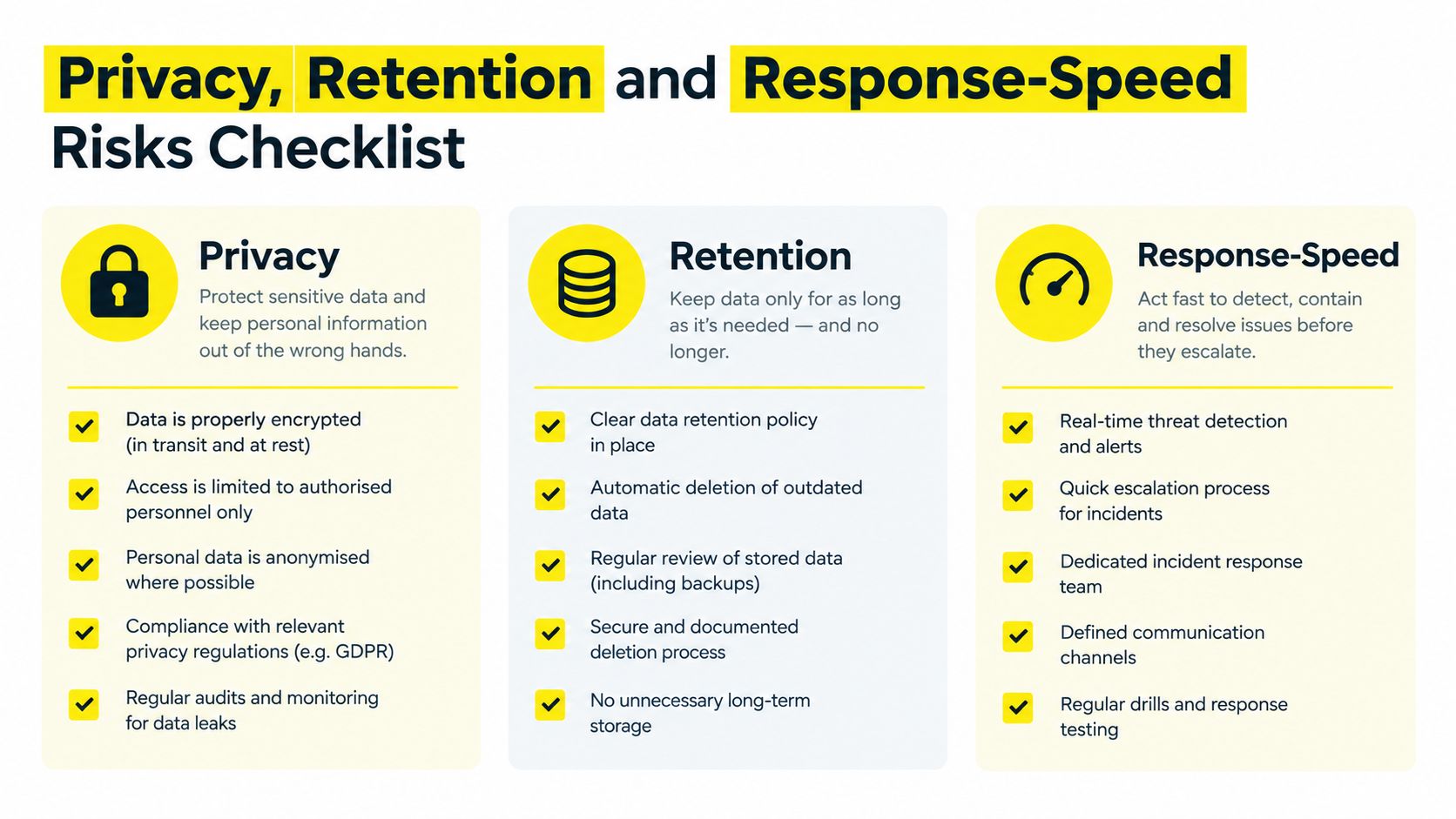
Privacy can't be reduced to checking a box in the form builder. The advertiser is collecting personal information, deciding why it will be used, determining who can access it, and choosing how long it remains in the system.
Independent guidance reports that Meta lead data may be available for only 90 days, so relying on in-platform storage is a weak retention strategy. Export leads or synchronize them with the CRM within that period, then apply the business's documented retention and deletion rules. The lead-capture guidance from LeadSync discusses this retention risk and the need for regular transfer or synchronization.
Make consent understandable
The form should explain the purpose of collection and identify the expected follow-up. Link to the current privacy policy. Separate consent for the requested response from optional marketing consent where the applicable law requires that distinction. Don't bundle every communication channel into a vague or preselected permission.
Store the consent language version, timestamp, source form, and permitted channels with the lead. That record helps the business answer questions about why it contacted someone and whether the person requested a particular type of communication.
Treat response speed as process design
A shared inbox is not a lead-management system. It creates ambiguous ownership, weak attribution, and a high chance that a valid request receives a polite but delayed “we'll get back to you” message.
Use a clear handling chain:
Immediate alert: Send the record to the assigned CRM queue and notify the responsible team.
First response: Use an automated but personalized confirmation that reflects the submitted offer.
Human ownership: Create a call, SMS, or email task for a named representative.
Exception handling: Route invalid numbers, duplicate records, and after-hours submissions into separate queues.
Audit trail: Record contact attempts, responses, qualification status, and consent restrictions.
Response speed also affects the value of the form's other decisions. A carefully qualified lead still loses commercial value if nobody owns it. A short form may generate usable demand when the business responds promptly, while a longer form won't repair a neglected sales process.
Putting It All Together for Profitable Lead Campaigns
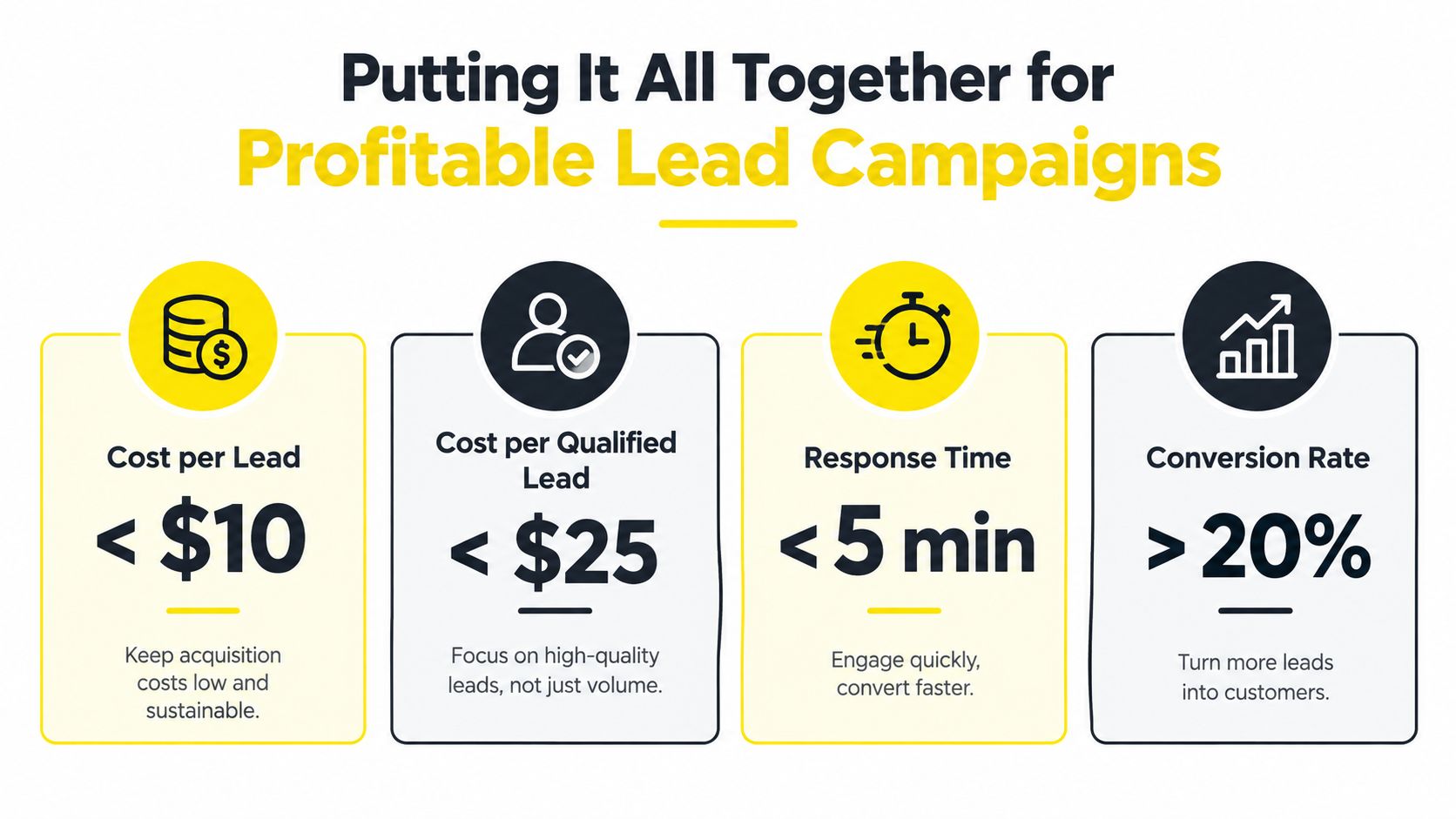
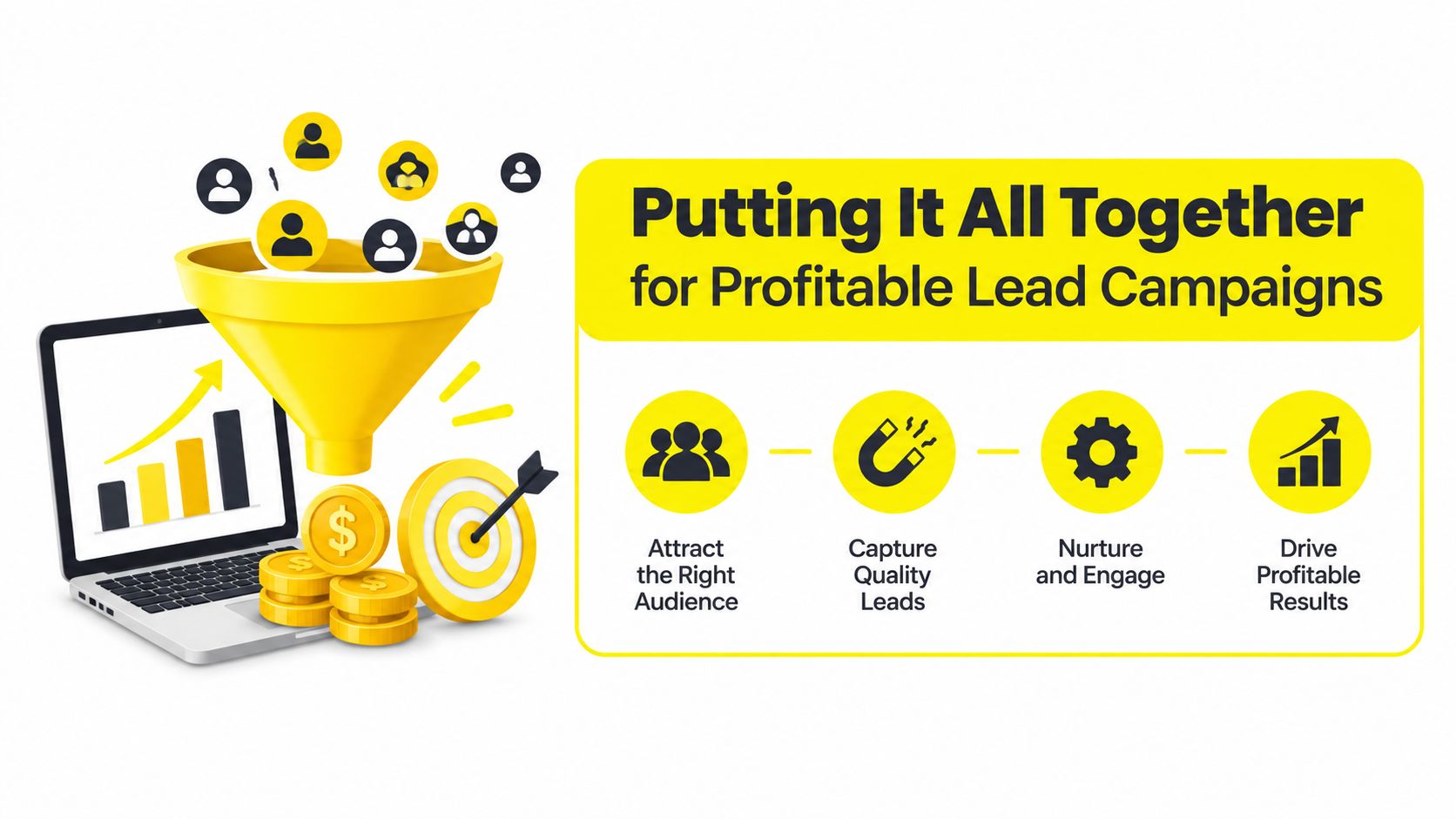
A profitable Facebook lead generation form has a measurement stack that follows the customer journey. Start with cost per lead, then measure cost per qualified lead, cost per booked meeting, cost per opportunity, and cost per converted customer. Each metric should come from a defined CRM event, not an improvised spreadsheet interpretation.
The platform needs enough structured feedback to distinguish a useful submission from an accidental or unserviceable one. The sales team needs enough context to act on the lead. Leadership needs revenue attribution that connects the original campaign and creative to the final commercial outcome.
Fix the system in the right order
My troubleshooting order is opinionated:
Fix speed-to-lead first. Confirm that records arrive, owners are assigned, and contact tasks trigger reliably.
Fix field quality second. Remove low-value questions and add only qualifiers that improve routing or sales decisions.
Fix the offer and creative third. Make the promise specific and align the ad, form, and thank-you screen.
Fix targeting fourth. Audience changes can't compensate for a broken handoff or a weak offer.
Review the campaign by audience, creative, offer, and form version. Compare not only submissions but also contact rate, qualified-lead rate, scheduled meetings, acquisition cost, and revenue per lead. The benchmark figures cited earlier are useful as directional context, but they can't determine success without your own downstream economics.
Know when to use another conversion path
Instant Forms are the wrong tool when the offer requires substantial education before a person can make a sensible commitment, when a salesperson must be present at the first interaction, or when the business has no CRM and no dependable follow-up owner. In those cases, a landing page, scheduled call, message conversation, or another controlled conversion path may create better buying context.
Before scaling, confirm that the team has mapped CRM events to Meta through the Conversions API, tested deduplication, documented consent, transferred records into durable storage, and assigned lead ownership. Keep testing creative and form combinations on a regular operating cadence, but judge each test by qualified pipeline rather than form-fill volume.
Wojo Media helps businesses connect Facebook Lead Ads with offer strategy, creative, tracking, CRM feedback, and backend KPI measurement across e-commerce, local services, real estate, coaching, and related markets. If your campaign is generating submissions but not enough qualified opportunities, visit Wojo Media to request a paid advertising strategy focused on the full path from form submission to revenue.
Comments