.png)
Google Ads UTM Parameters: Setup, Tracking, and Testing

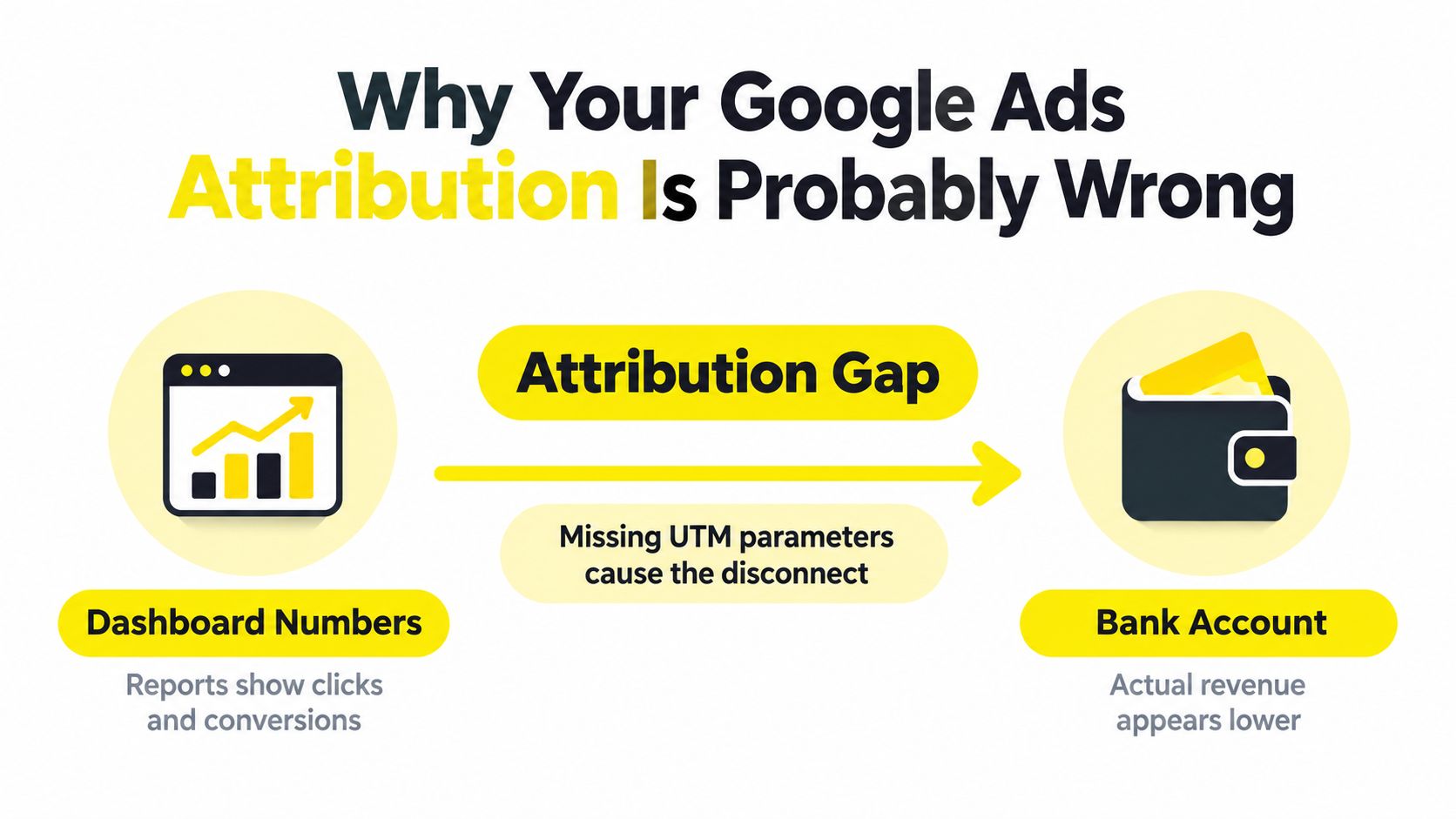
You open Google Ads and see conversions coming in. Then you check Analytics, your CRM, and the bank account, and each system tells a different story. Some leads show up as direct, others as referral traffic, and the campaign that appears efficient in Google Ads produces little booked revenue.
That gap usually isn't solved by adding more dashboards. It starts with a clean measurement chain. Google Ads UTM parameters label the traffic that arrives on your site, the GCLID identifies the originating ad click, and a disciplined CRM handoff preserves both signals until a lead becomes revenue.
Why Your Google Ads Attribution Is Probably Wrong
A Google Ads conversion can look healthy while the CRM cannot connect the resulting customer to a campaign, keyword, or landing-page visit. The problem is usually a broken measurement chain, not a missing dashboard. Conversion tracking records an outcome. UTM parameters label the visit so analytics, forms, CRMs, and revenue reports can classify the same interaction.
What UTMs identify
Google Analytics defines three foundational fields for campaign traffic:
utm_source identifies where the visit originated, such as Google.
utm_medium identifies the channel or delivery method, such as cost-per-click advertising.
utm_campaign identifies the promotion or initiative that generated the visit.
Google documents these roles in its campaign URL builder and UTM guidance. Values such as , , and give reporting systems a consistent record of who sent the visitor, how the visitor arrived, and which campaign was involved.
Omit , and the traffic origin becomes harder to identify. Omit , and paid search may blend with other Google traffic. Omit , and comparing initiatives within the same channel becomes unreliable.
UTMs do not create conversions or replace Google Ads conversion tracking. They provide a shared vocabulary across Google Analytics, landing pages, forms, CRMs, data warehouses, and reporting tools.
Practical rule: Treat UTMs as labels for traffic provenance, not proof that a visitor became valuable.
Why session labels still matter
The GCLID carries more granular Google Ads information, but session-level UTM labels remain useful when paid search is compared with social, email, partner, and other acquisition channels. A CRM may not interpret every platform's native click identifier. It can usually store readable values such as , , and a campaign slug.
UTMs therefore form the historical layer of attribution. They connect the landing-page visit to the form submission, while the GCLID supports Google Ads reconciliation. Pass both through the form and CRM, then retain them when a lead becomes a booked appointment or closed customer. Without that handoff, the Ads dashboard can report a conversion while finance and sales cannot connect it to collected revenue.
The Five UTM Fields That Matter
A tagged Google Ads URL should make the click readable to every system that handles it. Use one parameter for one dimension of the visit, rather than packing source, channel, audience, and creative details into a campaign name.
The core fields
Field | Purpose | Example value | Required? |
|---|---|---|---|
Identifies the traffic source | Yes | ||
Identifies the marketing channel | Yes | ||
Identifies the campaign | Yes | ||
Records paid keyword context | Optional | ||
Distinguishes creative or link variants | Optional |
The required fields establish the base taxonomy used across analytics, landing pages, forms, CRMs, and revenue reports. Standardize values before campaigns launch. Use consistently instead of mixing , , and , unless your reporting specification requires different values. Lowercase naming prevents one source from being split across separate report rows.
adds keyword context when a native integration does not pass enough detail into downstream systems. separates creative variants, ad versions, or calls to action that share a destination URL. Those distinctions help analysts connect performance differences to the actual ads, not just the campaign.
Newer campaign metadata
The current UTM parameter documentation also describes , , , and . These fields extend campaign metadata and can support more structured reporting as your measurement model grows.
Add a field only when it answers a reporting question and has a reliable destination in your analytics platform, CRM, or warehouse. Store the values with the landing-page session, pass them through forms, and retain them alongside the GCLID when a lead becomes booked revenue. That handoff turns UTMs from traffic labels into a usable attribution layer.
Auto-Tagging and the GCLID Explained
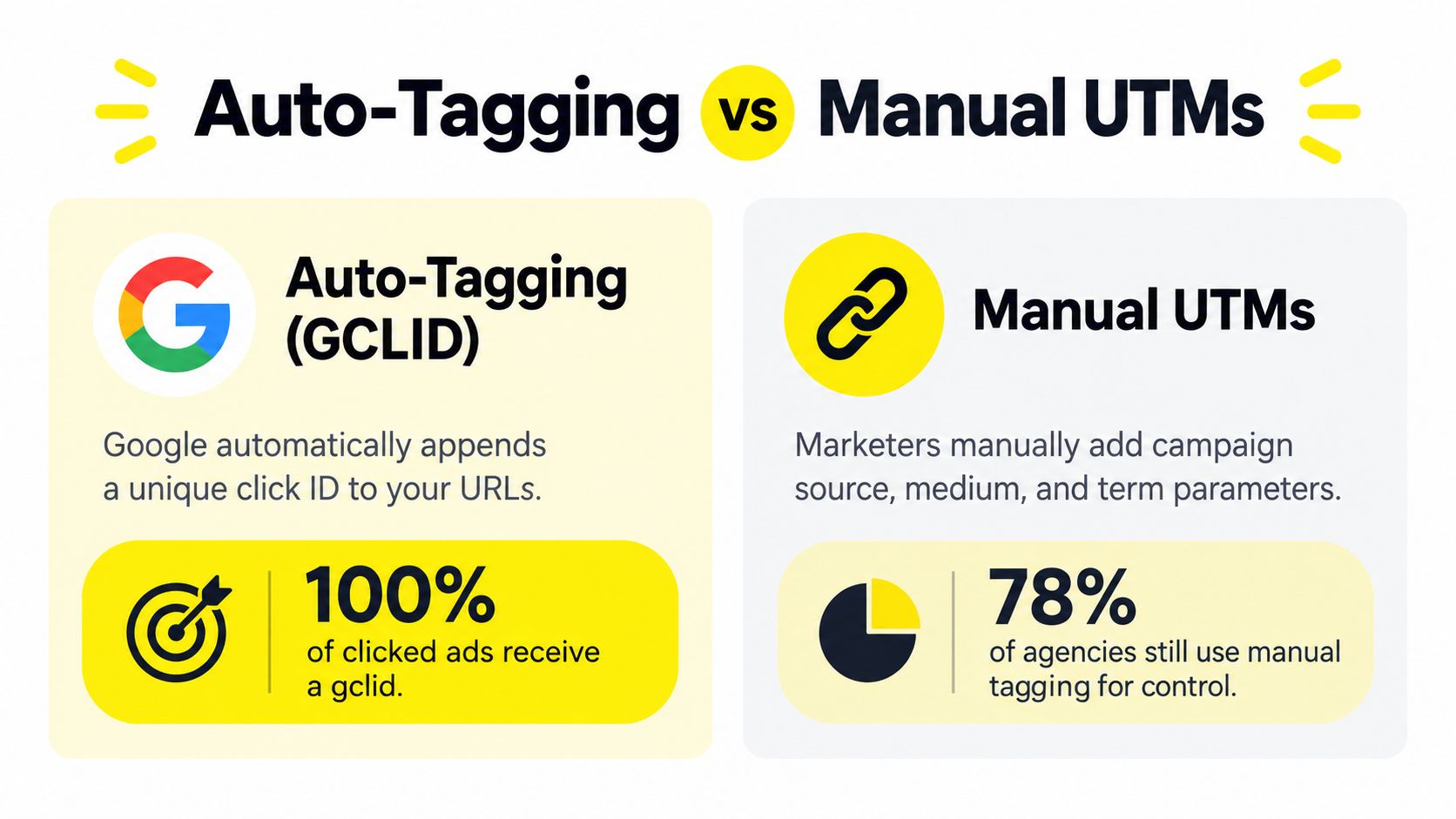
Manual UTMs and Google Ads auto-tagging aren't competing systems. They identify different things and should generally run together.
When auto-tagging is enabled, Google Ads appends a Google Click Identifier, or , to the destination URL after someone clicks an ad. Google's auto-tagging documentation explains that tracking systems can use this identifier to determine which keyword, campaign, and click generated a visit.
Two identifiers, two jobs
The GCLID is an automatically generated click identifier built for Google Ads attribution. It helps Google-connected systems reconcile click-level information with cost and conversion data, and it supports importing complex outcomes such as offline conversions.
UTMs are human-readable labels intended for broader reporting. They travel in the URL as ordinary query parameters, making them useful to analytics platforms, form systems, CRM fields, and reporting pipelines that need a consistent taxonomy across multiple channels.
A lead-generation company illustrates why both matter. Google Ads may know the originating click through the GCLID, while the CRM needs to group leads alongside campaigns from other platforms. The GCLID provides Google-specific precision. The UTM fields provide portable business context.
The override detail teams miss
Manual values can override auto-tagged values in configurations that allow that behavior, but Google states that must be present for the override to take effect. Without it, auto-tagging remains authoritative.
That isn't a reason to disable auto-tagging. Keep it enabled whenever possible, then use manual UTMs for the fields your wider measurement system needs. Preserve the GCLID through forms, appointment software, phone workflows, and CRM records, especially when revenue closes after the original website session.
Building a Naming Convention That Survives Scale
A campaign taxonomy should be boring enough that another person can apply it without asking you what a value means. Decide the rules before launch, document them in a shared specification, and make the ad account follow that specification.

Start with the defaults:
A stable value
Optional and values when your analysis needs them
Google's UTM implementation guidance also emphasizes choosing one convention, using consistent encoding, and documenting it before launch.
Readable names versus immutable IDs
Human-readable campaign names make reports easier to interpret. Stable IDs are safer when campaigns get renamed or duplicated. A practical approach is to keep those concepts separate. Use an immutable campaign identifier for joins and a readable campaign label for people who need to interpret the report.
For example, your CRM can store a stable campaign ID alongside a readable campaign name. If the campaign name changes, the historical relationship doesn't disappear. If your organization only has simple account structures, a stable slug may be sufficient, but document what happens when someone edits it.
Use lowercase naming, predictable separators, and a closed list of approved mediums. Decide how to represent regions, products, funnel stages, and audiences before launch. Don't let each campaign manager invent a new order or spelling.
Constructing the URL safely
A clean URL follows a simple syntax:
`
Use one question mark only. If the final URL already contains a query string, append new parameters with , rather than replacing the existing parameters. Encode spaces and reserved characters consistently, and avoid putting unencoded special characters into dynamic values.
A written standard should answer practical questions such as:
Should campaign values use IDs, names, or both?
Which values are allowed for ?
How are creative variants named?
Which fields are stored as first touch and last touch?
Who approves changes to the taxonomy?
The following video provides a visual reference for configuring campaign tracking:
Using Tracking Templates and ValueTrack for Dynamic Tags
Manual tagging works for a small test. It becomes fragile when every ad, ad group, and landing page carries a separately edited URL. One campaign rename or missed update can create a reporting split that nobody notices until the data is already difficult to repair.
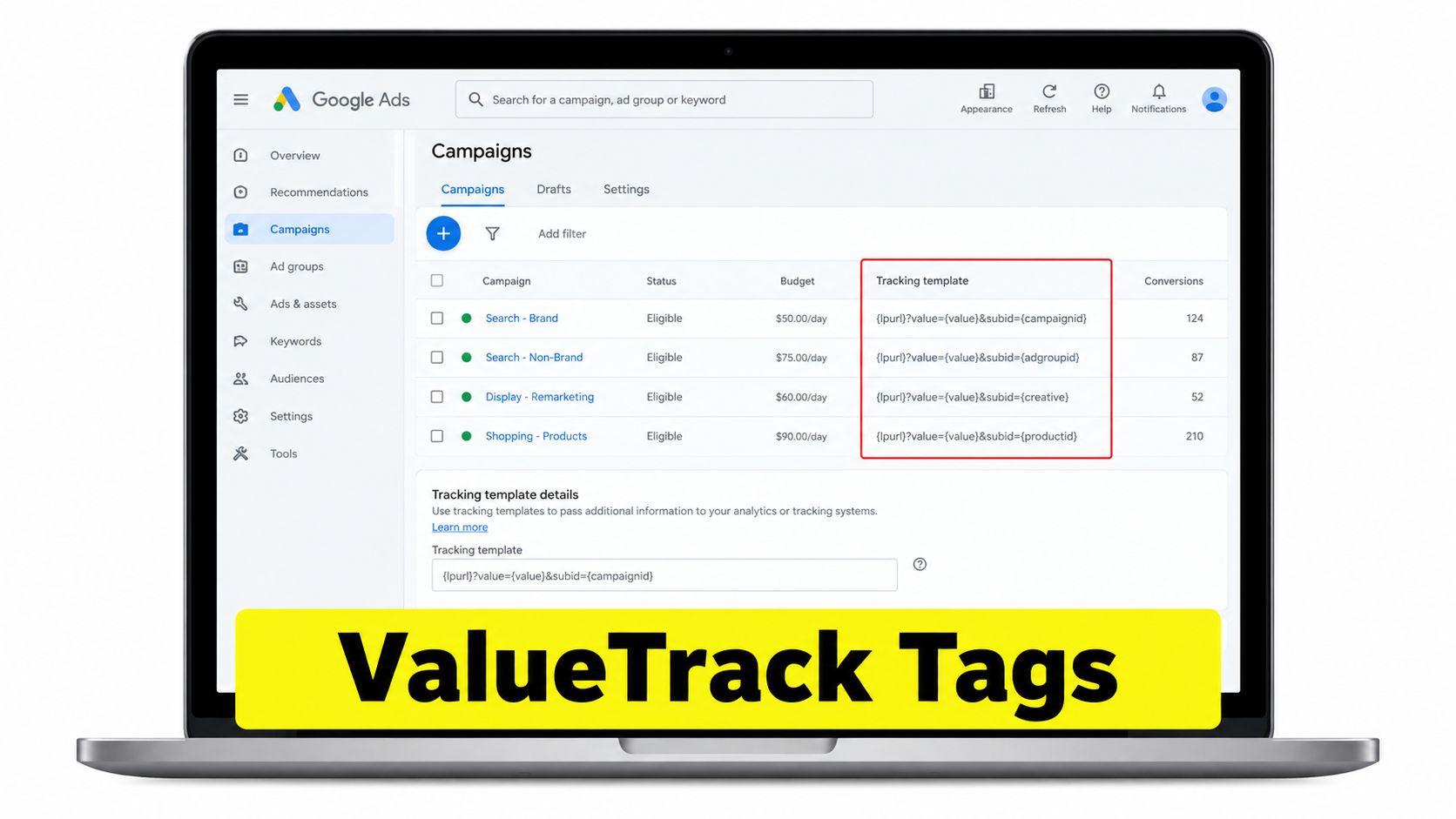
Google Ads tracking templates and final URL suffixes provide a more maintainable implementation. The distinction matters. A tracking template defines tracking or redirect logic, while a final URL suffix appends parameters directly to the landing-page URL. Google also notes that parameters required by the landing page belong in the final URL or final URL suffix, not only in a tracking template. Its tracking template documentation explains the required final URL insertion parameter and supported dynamic placeholders.
Let Google insert changing values
A practical template can look like this:
is critical because it inserts the final landing-page URL. Google substitutes supported ValueTrack placeholders at click time, allowing you to pass campaign, ad group, keyword, device, match type, or other click context without editing every final URL.
Use dynamic fields for values that change frequently. Use static values for the taxonomy itself. That separation keeps and consistent while allowing campaign or creative identifiers to update automatically.
Choose the right hierarchy
Apply a template at the highest safe level:
Define the account-level structure when every campaign shares the same schema.
Use campaign-level settings when a campaign type needs different fields.
Use ad-group-level settings only for genuine exceptions.
Before publishing, check the campaign type. Some placeholders may be unavailable or return empty values in specific contexts. An empty value isn't automatically a platform failure, but it can make a report misleading if your team assumes the field is always populated.
Avoid the common construction errors
Malformed query strings are the fastest way to break a working setup. Watch for duplicate question marks, missing ampersands, unsupported placeholders, unencoded values, and redirects that strip parameters before the landing page loads.
Don't mix manually embedded UTMs in individual final URLs with a suffix that adds the same fields. That can produce duplicate keys and inconsistent reporting. Choose one controlled method for each parameter, then test representative desktop and mobile ads through Google's final URL testing tools.
The Click-to-CRM QA Sequence That Catches Every Breakage
A URL can look correct in an ad account and still fail before revenue reporting. The only dependable test follows the entire path from click to CRM record.
Test the complete chain
Start with an incognito session and a representative ad. Inspect the first destination URL, then every redirect, and confirm that the expected UTMs and GCLID survive. A landing page that loads correctly isn't enough if a booking platform or form handler removes the query string.
Next, inspect Analytics real-time reporting or DebugView. Confirm that source, medium, and campaign match the taxonomy you intended, rather than assuming the browser URL proves that the analytics event received them.
Check storage, not just collection
Submit a test form and inspect the resulting CRM record. Confirm that hidden fields or equivalent form logic store the original values and that your system distinguishes first touch from last touch. For ecommerce, verify that the order or customer record receives the campaign context required for revenue reporting.
Common breakages include:
Partial implementation: Some ads or landing pages have tags, while others rely on defaults.
Query replacement: A new question mark replaces an existing query string instead of appending with an ampersand.
Redirect stripping: A landing-page builder, checkout, booking tool, or redirect removes parameters.
Consent timing: Identifiers disappear before the form captures them because scripts load only after a consent decision.
Run the sequence after every major landing-page, form, redirect, or CRM change. Tracking isn't finished when the ad is approved. It's finished when the test lead retains the expected identifiers in the system that reports revenue.
Connecting UTMs to Backend Revenue and What to Do Next
UTMs become commercially useful when they survive beyond the landing page. Store the original GCLID and UTM values in hidden form fields or equivalent first-party records, preserve them through checkout and sales workflows, and attach later revenue to the originating campaign.
That setup lets a team compare lead quality, booked appointments, closed opportunities, and revenue instead of stopping at sessions or form submissions. The GCLID supports Google Ads click-level reconciliation and offline conversion workflows, while UTMs keep the campaign context readable across systems.
Use this operating checklist:
Document the taxonomy: Freeze lowercase source, medium, campaign, and encoding rules.
Keep auto-tagging active: Preserve the GCLID for Google Ads measurement.
Automate dynamic values: Use tracking templates or final URL suffixes with supported ValueTrack fields.
Test every handoff: Inspect the ad click, redirects, landing page, consent state, form, CRM, and revenue record.
Report the business outcome: Use campaign, keyword, creative, lead-quality, and revenue dimensions together.
For teams that need a clearer way to turn these fields into client-facing decisions, custom reports for agencies can provide a useful reporting reference. The tool matters less than the underlying discipline. If the CRM doesn't retain the identifiers, no dashboard can reconstruct the missing path reliably.
Wojo Media helps brands connect paid search and omnichannel campaigns with conversion-focused landing pages, creative, and backend KPI tracking. If your Google Ads UTM parameters, GCLID, and CRM handoffs need an end-to-end audit, visit Wojo Media to explore a paid advertising strategy built around traceable revenue.
Comments