.png)
Google Ads Budget Guide for Smarter Campaigns

Most Google Ads budget guides start with the wrong question. They tell you to spend $10 a day, $50 a day, or $1,000 a month, as if the right number exists independently of your conversion rate, margins, bidding strategy, and sales cycle.
That advice is convenient, but it's not media buying. A Google Ads budget has two jobs: control cash flow and buy enough conversion data to make sound decisions. Those jobs can conflict. A budget may feel safe while producing too little signal to optimize, or it may generate useful data while exposing a business to unexpected daily spending.
The practical question isn't “What's the minimum Google Ads budget?” It's “What budget gives this campaign enough room to learn without violating the business's cash-flow limits?”
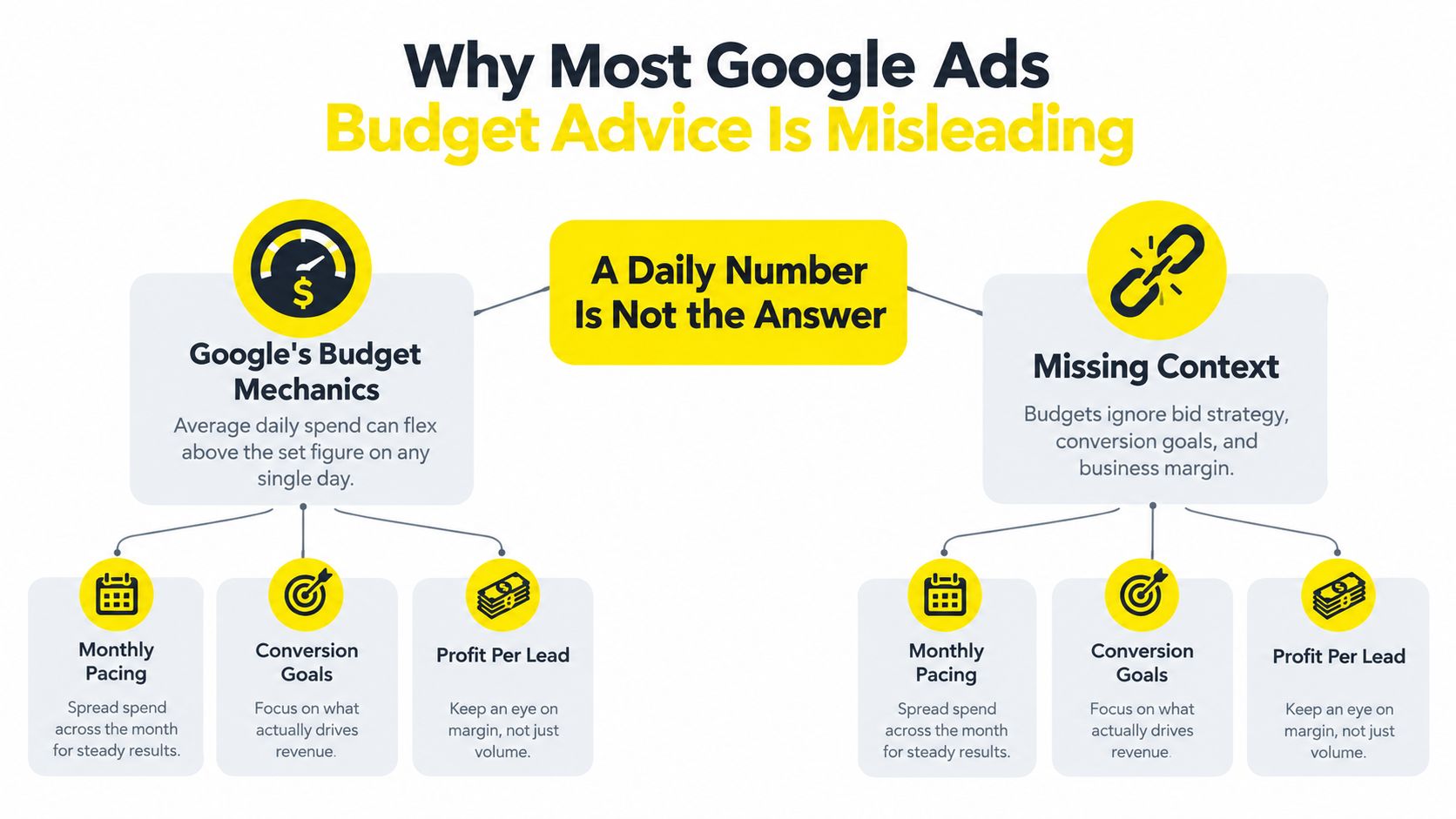
Why Most Google Ads Budget Advice Is Misleading
A daily budget looks precise, but precision is not the same as control. The right question is not whether a campaign can spend a certain amount each day. It is whether that spend can produce enough conversion evidence to support a decision without creating a cash-flow problem.
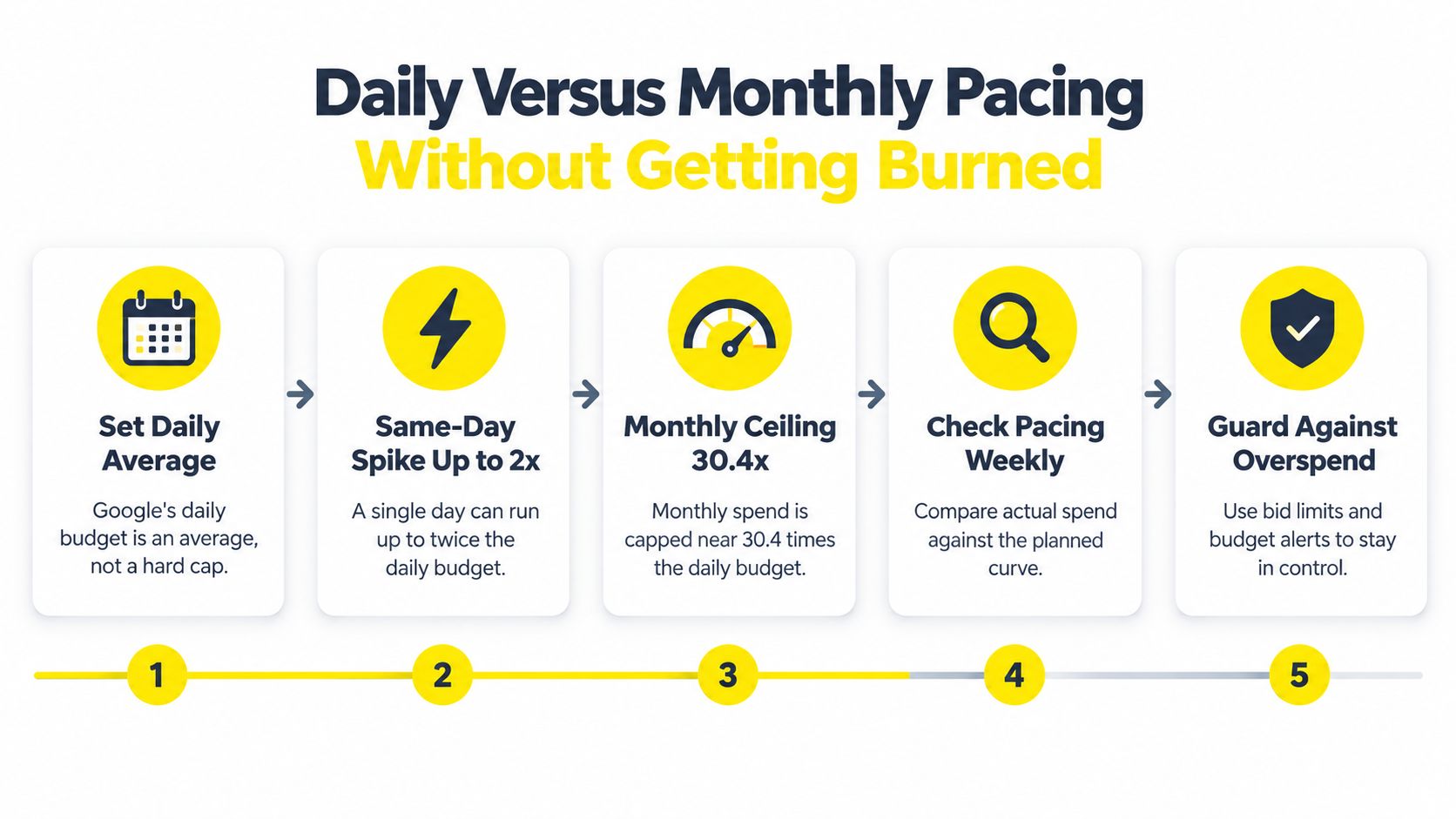
Google's average daily budget is a pacing average, not a guaranteed hard ceiling. Google may spend up to twice that average on a given day, while generally limiting monthly charges to 30.4 times the average, as explained in Google's budget and spending limits documentation. A $50 average daily budget can therefore reach $100 in same-day spend, with a typical monthly billing ceiling of $1,520.
That distinction matters for small businesses, seasonal advertisers, and any operator managing a tight account balance. A campaign can spend more than expected today and compensate later through monthly pacing. The platform's monthly logic does not change the timing of money leaving your bank account.
Four controls advertisers routinely confuse
Google Ads provides several spending controls, but each solves a different problem:
Average daily budget: The average amount used to pace an ongoing campaign. Daily spend can flex around that average.
Shared budget: A pool that multiple campaigns can draw from when they compete for one limited allocation.
Campaign total budget: A fixed amount assigned over a defined period. Google states that advertisers will not be charged above the total budget, making it useful for tightly controlled tests.
Portfolio bid strategy ceiling: A bidding limit that restricts how aggressively a portfolio strategy can bid. It does not replace a campaign budget or establish the same cash-flow boundary.
Confusing these settings creates two predictable mistakes. Some advertisers treat an average daily budget as an absolute cap. Others increase the budget to recover lost impressions without checking whether additional traffic can produce profitable conversions.
Practical rule: Treat the budget as a research allowance first and a visibility dial second.
A $30 daily budget paired with a $60 target CPA creates a theoretical ceiling of 15 conversions in a 30-day month, assuming consistent spending and target-level performance. That may offer an early directional signal, but it leaves little room for segmentation, delayed conversions, tracking noise, or performance swings. The figure is not automatically wrong. It is just too small to support confident conclusions about every keyword, audience, and ad variation.
Set the learning requirement before building campaigns. Define the conversion that matters, the acceptable acquisition cost, and whether the available budget can generate enough evidence to judge the bidding strategy. The same discipline applies when creating listicle pages that convert. Traffic without useful conversion data does not solve the budget problem.
Calculating the Right Budget From Your Target Numbers
A defensible Google Ads budget starts with target CPA, conversion rate, and expected CPC. You can estimate the cost of one conversion with this formula:
Estimated CPA = Estimated CPC ÷ Conversion rate
Then set the test budget from the number of conversions you need to make a decision:
30-day test budget = Target CPA × desired conversions
That formula is useful in both directions. If you know what a lead can be worth, it tells you how much traffic you can buy. If you know the amount you can invest, it tells you how much conversion volume the campaign must produce to be useful.
Four planning examples
The examples below are planning scenarios, not benchmarks. Replace the assumptions with your own account data as soon as clicks and conversions arrive.
A med spa targeting a $40 lead at a 4% landing-page conversion rate needs roughly 25 clicks per lead. If estimated CPC is $4, the implied CPA is $100, which misses the target. The answer isn't automatically a larger budget. The campaign needs a better conversion rate, lower CPC, a tighter keyword set, or a more valuable lead.
A coaching offer targeting a $200 acquisition at a 2% conversion rate needs about 50 clicks per acquisition. At an estimated $8 CPC, the implied CPA is $400. Increasing spend under those assumptions would buy more expensive learning, not profitable growth. Improve the funnel before funding scale.
A real estate investor targeting a $30 lead-to-conversation cost at an 8% conversion rate needs about 12.5 clicks for each conversation. At an estimated $3 CPC, the implied CPA is $37.50. The campaign is closer to its target, but lead quality and offline follow-up still determine whether that conversion is commercially useful.
A Shopify brand targeting 3x ROAS with a $65 average order value needs to generate about $3 in revenue for each dollar of ad spend. The allowable acquisition cost depends on gross margin, repeat purchase behavior, and the portion of the order value you can allocate to advertising. ROAS alone doesn't establish profitability.
Business Model | Target CPA | Conversion Rate | Est. CPC | Daily Budget | 30-Day Budget |
|---|---|---|---|---|---|
Med spa | $40 | 4% | $4 | Derived from target volume | Target CPA × desired conversions |
Coaching offer | $200 | 2% | $8 | Derived from target volume | Target CPA × desired conversions |
Real estate investor | $30 | 8% | $3 | Derived from target volume | Target CPA × desired conversations |
Shopify brand | ROAS-based | Revenue conversion | Variable | Derived from allowable CPA | Allowable CPA × desired orders |
Use current market conditions as a warning, not a budget formula
Recent benchmark reporting cited in Google's guidance indicates that average CPC rose from $4.66 in 2024 to roughly $5.26 to $5.42 in 2025, with CPC increasing in 87% of analyzed industries, while reported conversion rates reached roughly 7.52% to 8.18%. Those figures show why copying an industry average is weak planning. Traffic can become more expensive while conversion performance changes at the same time.
Use your assumptions in a spreadsheet:
Enter the target CPA or allowable acquisition cost.
Enter the expected conversion rate.
Enter estimated CPC.
Calculate clicks required per conversion.
Calculate projected CPA.
Multiply the acceptable CPA by the number of conversions needed to evaluate the campaign.
If projected CPA exceeds the target, don't hide the gap inside a larger budget. Fix the offer, landing page, targeting, or measurement first.
Budget Structures That Fit Each Business Model
The same monthly allocation can buy entirely different types of learning for different businesses. E-commerce needs product coverage and purchase data. Local services need concentrated high-intent demand. Coaches often need a funnel that turns cheaper attention into qualified conversations. Real estate investors need reliable lead handling after the form submission.
Compare the structures before you compare the budgets
Business model | Starter structure | Main trade-off |
|---|---|---|
E-commerce brand | Product-feed-led Shopping or Performance Max, supported by branded and non-branded Search | Broader automation can discover demand, but product-level reporting must stay clean |
Local service | Geo-tight Search, call-focused ads, and a small remarketing layer | Concentration improves intent, but local volume may be limited |
Coach or course creator | Search for high-intent demand plus YouTube or content-led funnel traffic | More funnel stages require stronger tracking and follow-up |
Real estate investor | Motivated-seller Search, Google lead forms, and offline follow-up workflows | Lead volume means little if response speed and qualification are weak |
For e-commerce, put the product feed at the center. Group products by margin, inventory position, and commercial priority rather than throwing the entire catalog into one undifferentiated campaign. Performance Max can handle broad inventory coverage, while Search protects brand demand and captures specific high-intent queries.
For a med spa or another local service, narrow geography before expanding keywords. Search should receive most of the attention because appointment intent is easier to read there. Call-focused ads can support people who want immediate contact, while remarketing should remain proportional to the available audience.
A coach or course creator needs a different structure. Search can capture people already looking for the offer, but YouTube and lead-magnet traffic can help create demand before asking for a paid enrollment. The budget must fund both the front end and the follow-up sequence, otherwise cheap leads become an expensive illusion.
Real estate investors should connect Google lead forms to actual qualification outcomes. Separate motivated-seller terms from informational searches, restrict locations aggressively, and route every lead into a documented call process. A campaign that produces forms but no conversations is not succeeding because its cost per form looks attractive.
The stated $2,000 monthly example should be treated as an allocation exercise, not a universal recommendation. Split it according to the business model, conversion event, and expected data volume. A smaller, concentrated test often teaches more than four underfunded campaign types competing for scraps.
Daily Versus Monthly Pacing Without Getting Burned
Daily budget is a pacing setting, not a guaranteed midnight shutoff. As noted earlier, Google can flex spending across days within its monthly limit. The operating question is which control fits the campaign, its conversion data, and its cash-flow risk.
That distinction matters because statistical validity and cash control are different problems. A campaign needs enough spend to produce useful conversion evidence, while the business still needs a firm boundary around what it can afford. Treating one daily number as both answers neither problem.
Match the control to the campaign
Use an average daily budget for an always-on campaign when monthly pacing matters more than identical day-by-day spend. Check actual spend against the monthly plan, conversion volume, and available cash. Do not cut a campaign because one day ran high if the month remains controlled and the extra traffic produces useful evidence.
Use a campaign total budget for a fixed promotion, launch, or test with a defined end date. Google positions this option for a set period and states that advertisers will not be charged above the total budget. Choose it when the campaign must stay inside a known financial boundary.
Use a shared budget when several small campaigns serve the same market and can compete for the strongest available opportunities. Keep budgets separate when each campaign requires its own spending guarantee or conversion read.
Volatile demand calls for a reserve, not a permanently inflated daily setting. Set the baseline, estimate the extra amount needed for the surge period, and hold that money separately in the cash-flow plan. Seasonal services and short promotions need both flexibility and a clear stop condition.
Review pacing weekly. Compare planned spend with actual spend, conversion volume, conversion quality, and cash available. If the account needs tighter operating controls, review guidance on real-time spend controls for campaigns.
The right test is not whether Google exceeded the displayed daily figure. Check whether the account stays within its monthly and cash-flow guardrails while generating enough conversions to support a sound decision.
Allocating Budget Across Campaigns and Ad Groups
Once you establish the account-level amount, don't divide it evenly just to make the interface look tidy. Equal allocation usually overfunds weak ideas and underfunds the campaigns that have already demonstrated commercial intent.
A practical starting split is 70% to proven winners, 20% to controlled tests, and 10% to experiments. This is an operating framework, not a performance statistic. If no campaign has proved itself yet, treat the first allocation as a test portfolio and keep the experiment categories tightly defined.
Protect the money that already works
Brand and non-brand Search deserve separate scrutiny. Brand campaigns often capture demand that already exists, while non-brand campaigns create a harder test of targeting, offer, and landing-page quality. Ring-fence brand spend when you need to know how much money is buying incremental demand rather than harvesting existing interest.
Performance Max should have its own budget when product coverage, audience expansion, or reporting needs differ materially from Search. Keep it inside the same decision framework, but don't let automated distribution hide which products or conversion actions receive the money.
Remarketing is another common trap. A small audience can't absorb an oversized allocation just because remarketing feels efficient. If frequency rises or the audience remains too small to generate meaningful conversion volume, move the money into prospecting or improve the audience definition.
A first-14-day operating checklist
Fund the core intent: Start with the campaign closest to the revenue-producing action.
Separate the signal: Use distinct conversion actions for calls, forms, purchases, and lower-value engagement.
Review search terms: Remove irrelevant demand before adding more budget.
Check landing-page behavior: If clicks arrive but qualified conversions don't, fix the page or offer before scaling.
Pause false precision: Don't split campaigns so aggressively that each one receives too little data to judge.
Compare quality, not just volume: A cheap lead that never becomes a sales conversation is an expensive result.
More budget can't rescue a conversion action you don't trust.
At the ad-group level, keep themes tight enough that the keyword, ad message, and landing page align. A large budget spread across loosely related groups makes diagnosis harder. Concentrate first, then expand after the account shows which intent pays.
Scaling Rules That Protect Your Return
Scaling on spend alone is how stable campaigns become unstable. Advertisers see a good CPA, raise the budget sharply, and then blame Google when the campaign reaches less efficient demand.
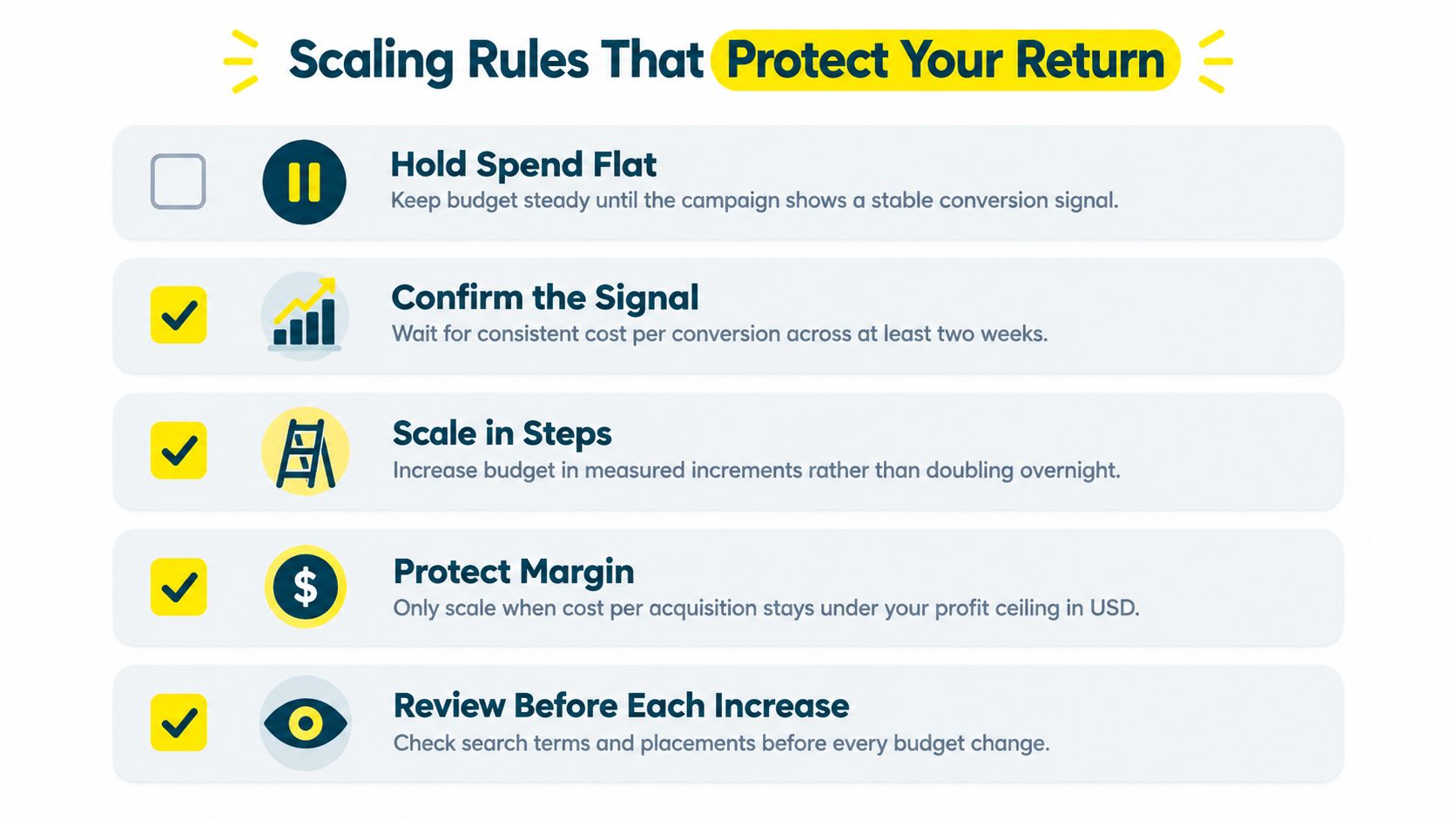
Use a rules-based sequence instead. Hold spend flat until the campaign shows a stable conversion signal. For automated bidding, Google's own guidance emphasizes that the budget question is connected to conversion data sufficiency, not merely impression availability. A campaign that needs more evidence may require time, cleaner tracking, or a better conversion rate before it needs more money.
Use the signal to choose the move
Scale vertically when the current campaign has reliable conversion quality, acceptable CPA or ROAS, and visible demand it isn't capturing because of budget. Make measured increases, then allow performance to settle before making another change.
Scale horizontally when the current structure is constrained by keyword coverage, geography, audience, product range, or creative variety. Horizontal expansion tests a new source of demand rather than just bidding harder for the same traffic.
Hold when conversion volume is still developing, CPA is drifting, or the campaign has changed targeting, landing pages, and bidding settings recently. Too many changes at once make the result impossible to interpret.
Scale down when CPA keeps rising and the problem doesn't respond to bid, search-term, offer, or landing-page changes over a sustained review period. Protecting margin is more important than preserving a budget number.
A Monday decision tree is simple:
Is the conversion action trustworthy?
Is the campaign meeting its allowable CPA or ROAS?
Is there enough conversion volume to interpret the result?
Is budget the actual constraint, or is the campaign losing through poor relevance or weak conversion?
If budget is the constraint, can you increase it without violating margin or cash-flow limits?
If the answer to the final question is yes, increase gradually. If not, improve the system before buying more traffic.
Tracking the Budget KPIs That Actually Matter
A budget without weekly measurement is a guess with a number attached. Review cost per acquisition, conversion volume, conversion rate, impression share lost to budget, search impression share, spend, and blended ROAS or cost per lead.
Read the metrics as diagnosis:
CPA above target: The campaign may need better traffic, a stronger offer, or a better landing page, not just more budget.
Impression share lost to budget: Budget may be limiting visibility, but removing that limit won't prove profitability.
Conversion volume stalling: Check tracking, search terms, lead quality, and follow-up before increasing spend.
CPC rising without conversion improvement: The account is paying more for traffic without receiving more commercial value.
ROAS or qualified lead cost weakening: Recheck margin and downstream sales data.
Keep a weekly record of planned spend, actual spend, conversions, qualified outcomes, CPA, and the decision made. Filter invalid traffic and measurement noise so your dashboard reflects buyers rather than activity. For Shopify advertisers, tools that reduce bot traffic noise can make budget reviews more trustworthy.
If you want an experienced team to connect Google Ads budgeting with offers, landing pages, tracking, and backend KPIs, Wojo Media provides paid advertising and funnel support for e-commerce, local services, coaching, and real estate businesses. Visit the site to request a strategy conversation and pressure-test your campaign math before you increase spend.
Comments