.png)
How to Set Up TikTok Ads the Right Way in 2026

You've opened TikTok Ads Manager, connected a payment method, and reached the campaign builder. The screen offers objectives, audiences, placements, bids, and creative settings, but your actual business goal is still vague. That's how a first launch turns into expensive traffic with no reliable answer about whether TikTok can produce sales or qualified leads.
How to set up TikTok ads properly means treating Ads Manager as an execution tool, not a strategy. Decide what TikTok must accomplish, install measurement before spending, choose how much control to give the platform, and create a post-launch QA process. TikTok's advertising business has scaled from about $3.88 billion in global ad revenue in 2021 to about $17.2 billion in 2024, according to industry estimates of TikTok advertising revenue. The channel is no longer a casual experiment where loose setup is acceptable.
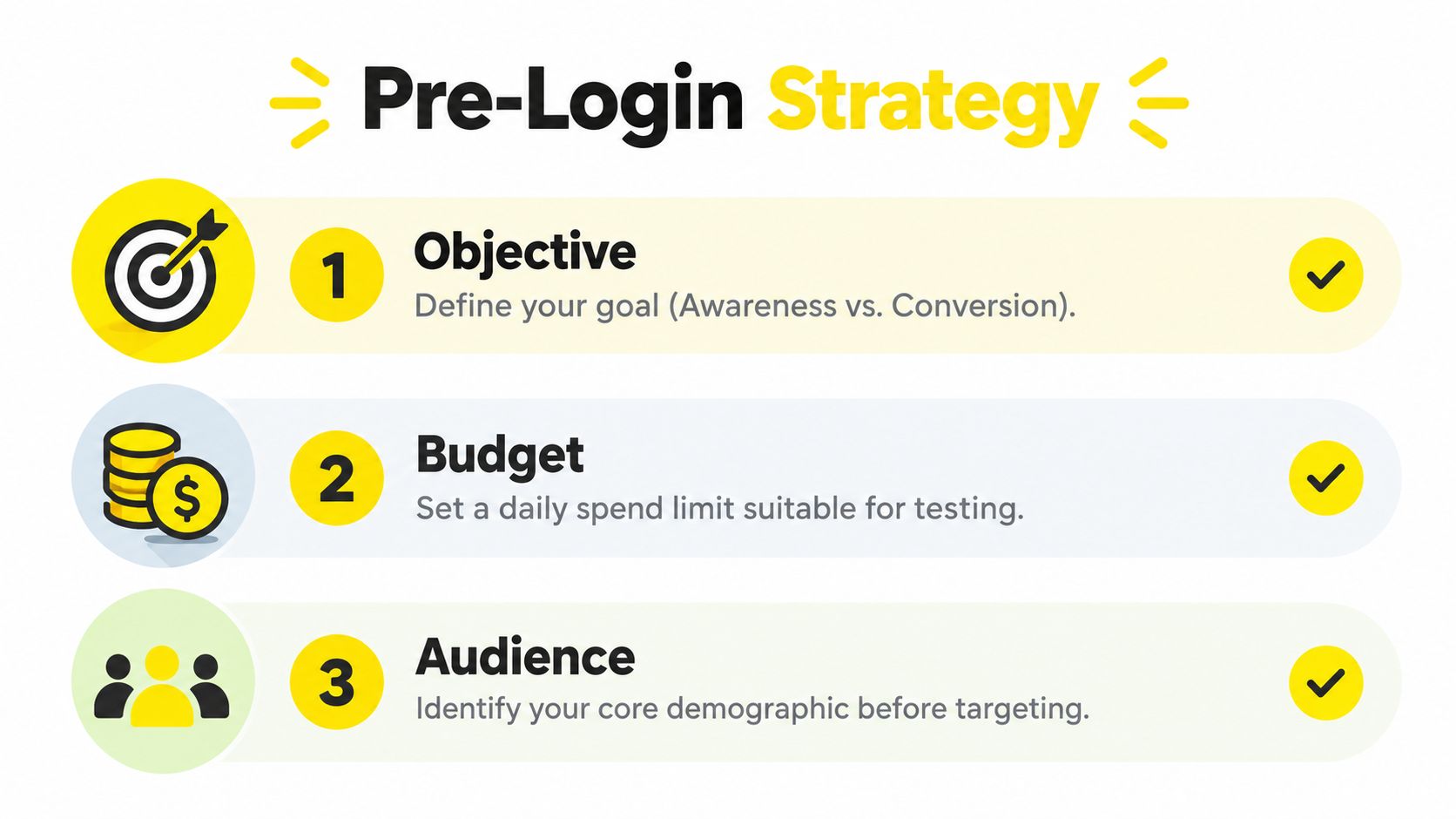
Before You Log In, Decide What You Want TikTok to Do
A direct-to-consumer founder opens Ads Manager with a product, a few videos, and a rough audience in mind. They choose Traffic because it feels safer than asking TikTok to find buyers, set a budget they haven't tied to revenue, and judge the campaign by cheap clicks. A business-to-business marketer can make the same mistake with lead generation, collecting contacts without deciding which leads deserve a sales response.
The first thirty minutes should happen away from the campaign builder. Write down the primary conversion event, the success metric you'll use over the next month, whether you're prospecting or retargeting, and the daily amount you can spend without interrupting other acquisition channels.
Write the campaign brief first
Use one sentence:
“We're promoting [offer] to [audience] at the [funnel stage] to generate [primary event].”
For an e-commerce store, that might mean promoting a new product to cold prospects and optimizing for completed payment. For a lead-generation business, it might mean sending a specific service offer to a defined market and optimizing for submitted forms that the sales team can contact quickly.
Your brief should also state what you won't optimize for. If the commercial goal is profitable customer acquisition, cheap CPM is not the destination. Lower delivery costs can bring more exposure while attracting people who never buy. A higher initial cost can be acceptable if the traffic produces stronger post-purchase lifetime value. That trade-off needs to be explicit before the first impression is purchased.
Separate prospecting from retargeting
Cold prospecting asks TikTok to discover new potential customers. Retargeting speaks to people who have already visited your website, watched content, engaged with your account, or started a buying process. Combining both in one ad group makes performance harder to interpret because the audiences have different levels of intent.
Set a daily ceiling before you build either campaign. The ceiling should reflect the amount you can spend while tracking the primary event and reviewing lead or order quality. If you need a broader planning framework for the offer, audience, and funnel, Shugert's approach to Shopify marketing is a useful resource to review before translating the strategy into paid social.
TikTok's business tools are free to access, but running ads requires a budget inside Ads Manager. The platform's growth makes structured setup, conversion tracking, and creative testing a baseline requirement, not an advanced option, as described in TikTok for Business guidance. Log in only after your objective, event, audience type, and spending limit are written down.
Create Your TikTok for Business Account and Ads Manager Access
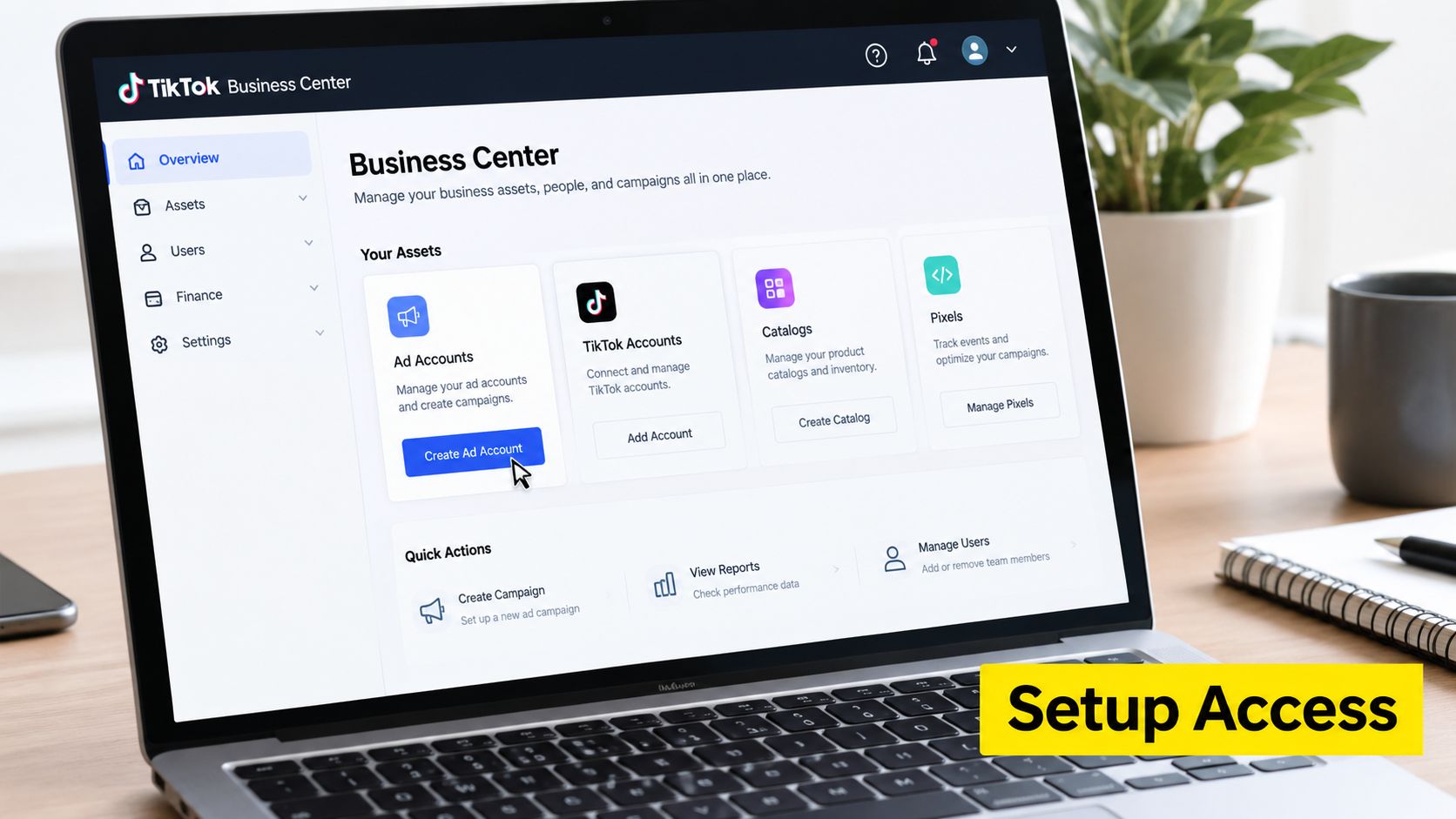
Start at ads.tiktok.com and create a business account. Use a business email that your company controls, not an employee's personal address. Verify the email, enter the business details requested by the setup flow, and choose the account's country, time zone, and currency carefully. These settings shape reporting and billing, so a rushed choice creates avoidable friction later.
Build the account structure before inviting people
Move into Business Center and create or claim the advertising account. Record the Business Center ID, then open Ads Manager and check that the ad account is active, attached to the correct business, and using the intended time zone and currency.
Add a payment method before launch. TikTok's business advertising infrastructure includes campaign management and analytics, but spend won't occur until you allocate budget in Ads Manager. Test the payment method and confirm that the billing contact can resolve a failed charge without waiting for the campaign to stop.
Enable two-factor authentication for every user with access. Never solve collaboration problems by sharing one login. A clean account structure keeps ownership with the brand and lets agencies or freelancers work through permissions instead of credentials.
Use one ad account when one brand, market, and reporting system share the same commercial logic. Create separate accounts under one Business Center when brands need distinct billing, legal ownership, reporting, or access boundaries. Don't split accounts merely because the campaign list looks busy. Fragmentation makes learning and reporting harder when there isn't a real governance reason.
Give partners the narrowest useful access
Invite an agency through the partner-access workflow and assign only the assets required for the engagement. Keep full administrative control with a small number of trusted internal users. Give campaign operators the ability to build and manage ads, while analysts receive reporting access without unnecessary billing or business settings privileges.
Before approval, verify these items:
Business ownership: The correct Business Center owns or claims the ad account.
Account status: Ads Manager shows the account as active and ready for campaign creation.
Payment readiness: The accepted payment method is present and the billing details are accurate.
Security: Two-factor authentication is enabled for every active user.
Partner scope: External users can access only the ad accounts, pages, pixels, catalogs, or folders they need.
TikTok's advertising product has matured rapidly, so access governance now matters as much as campaign creation. Treat Business Center as the ownership layer and Ads Manager as the operating layer. That separation will save time when staff, agencies, or brands change.
Install the TikTok Pixel and Events Manager Correctly
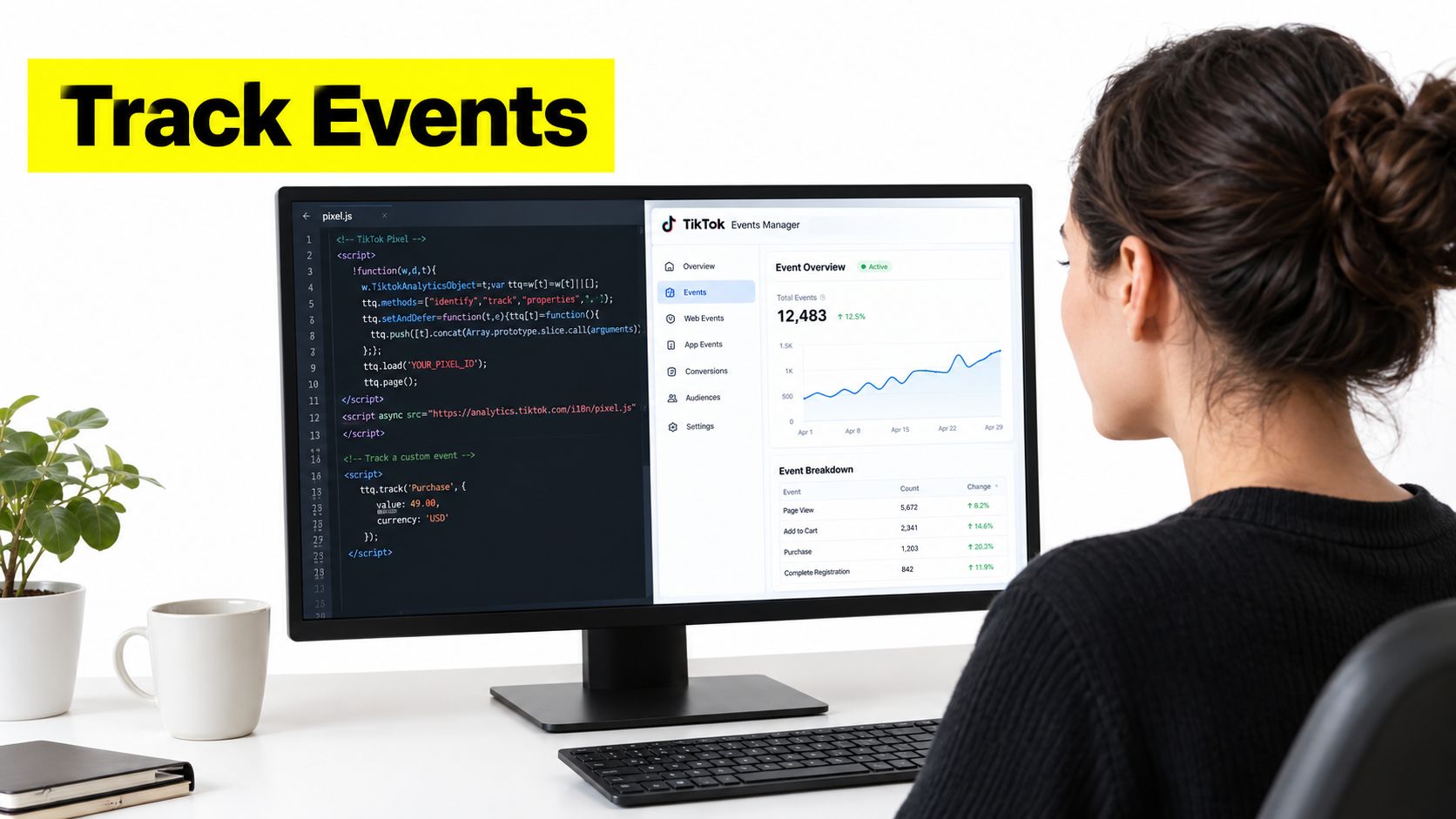
Before spending a dollar, make sure TikTok can observe the action your campaign will optimize. In Tools, open Events Manager, select Connect Data Source, choose Web, and enter your website URL. TikTok offers Partner Integration and Manual Setup, as described in its official pixel installation instructions.
Choose Partner Integration when your commerce or site-management platform provides a dependable connection. Choose Manual Setup when your development team or tag-management process needs direct control over the code and event rules. The right option creates one consistent event stream. Fewer setup clicks do not matter if the implementation produces incomplete or duplicated data.
Start with a usable event taxonomy
For e-commerce, configure View Content, Add to Cart, and Complete Payment first. These events cover product interest, buying intent, and the completed transaction. For lead generation, configure events that represent the full funnel, such as Submit Form and Complete Registration. A page view is not a qualified lead, so do not label every visit as a conversion.
Turn on Automatic Advanced Matching and First Party Cookies where your privacy process permits them. If matching uses customer identifiers such as email addresses or phone numbers, send them through TikTok's permitted hashing and consent workflow. Have legal and privacy teams approve the implementation for health, finance, and other sensitive categories.
Prevent duplicate firing before launch. A partner integration may already send an event while a developer-installed script sends the same event again. That inflates conversions, damages optimization, and overstates TikTok's efficiency. Use one implementation for each event and document who owns future changes.
Test every event before launch
Install the TikTok Pixel Helper browser extension and use the site like a customer. Visit the relevant pages, trigger each action, and confirm that the expected event fires once. Check that it includes the correct value where applicable and matches the right URL or user action.
Open Test Events in Events Manager and complete a test purchase or lead submission. Confirm that the event arrives, then review the Diagnostics tab for warnings and implementation errors. Verify each event with Pixel Helper, Test Events, and the Diagnostics tab before publishing a campaign.
If your business can support it, add server-side measurement as a second signal. Browser restrictions and privacy controls can reduce observable conversions, so first-party measurement belongs in the initial setup. Do not wait for unclear performance data to expose a tracking gap.
Pick the Right Campaign Objective and Automation Level
The objective tells TikTok what kind of result to pursue. Don't select Traffic because conversions feel uncertain, then complain that the platform delivers visitors instead of customers. Select the objective that matches the business outcome you're prepared to measure.
For an e-commerce campaign, choose Web Conversions and optimize toward the completed payment event when tracking is ready. For lead generation, choose Lead Gen and select the form or lead event that reflects the next commercial step. Awareness, Video Views, Community Interactions, App Promotion, and Traffic have valid uses, but they shouldn't be used as substitutes for a purchase or qualified lead objective.
Use automation deliberately
TikTok's Business Resource Center describes choices that range from full automation to partial automation and manual control across audience, budget, placements, and catalog settings. That means automation is a strategic decision, not a switch you should accept without understanding. Review the platform's business resources for advertisers before choosing the level of control for each campaign.
Manual campaigns are the right starting point for a new account, a niche audience, a regulated offer, or a test where you need to isolate one variable. You can see what TikTok is doing and connect the outcome to your audience, bid, placement, and creative decisions.
Automation can distribute budget and select combinations faster, but it reduces visibility into the exact path the algorithm took. It works better after tracking is stable and the account has enough useful conversion feedback to guide delivery. My recommendation is simple: launch manually, document the result, and graduate to Smart+ as a deliberate test rather than a default.
Business Goal | Recommended Objective | Optimization Event | Manual vs. Smart+ |
|---|---|---|---|
Build broad visibility | Awareness | Reach or attention signal | Manual when brand controls matter, automation when scale matters |
Generate site visits | Traffic | Landing page visit or click | Manual for message testing, automation for efficient delivery |
Capture prospects | Lead Gen | Submit Form or Complete Registration | Manual for quality control, Smart+ after lead tracking is reliable |
Sell online | Web Conversions | Complete Payment | Manual for the first structured test, Smart+ after stable purchase feedback |
Promote an app | App Promotion | Install or in-app action | Manual for controlled audience testing, automation for volume |
Grow engagement | Community Interactions | Profile, page, or community action | Manual when the audience is tightly defined, automation for discovery |
Keep the campaign objective and optimization event aligned. If the sales team judges lead quality but the campaign optimizes for cheap form completion, the platform is doing exactly what you asked, not what you intended.
Build Ad Groups, Targeting, Creatives, and Budget
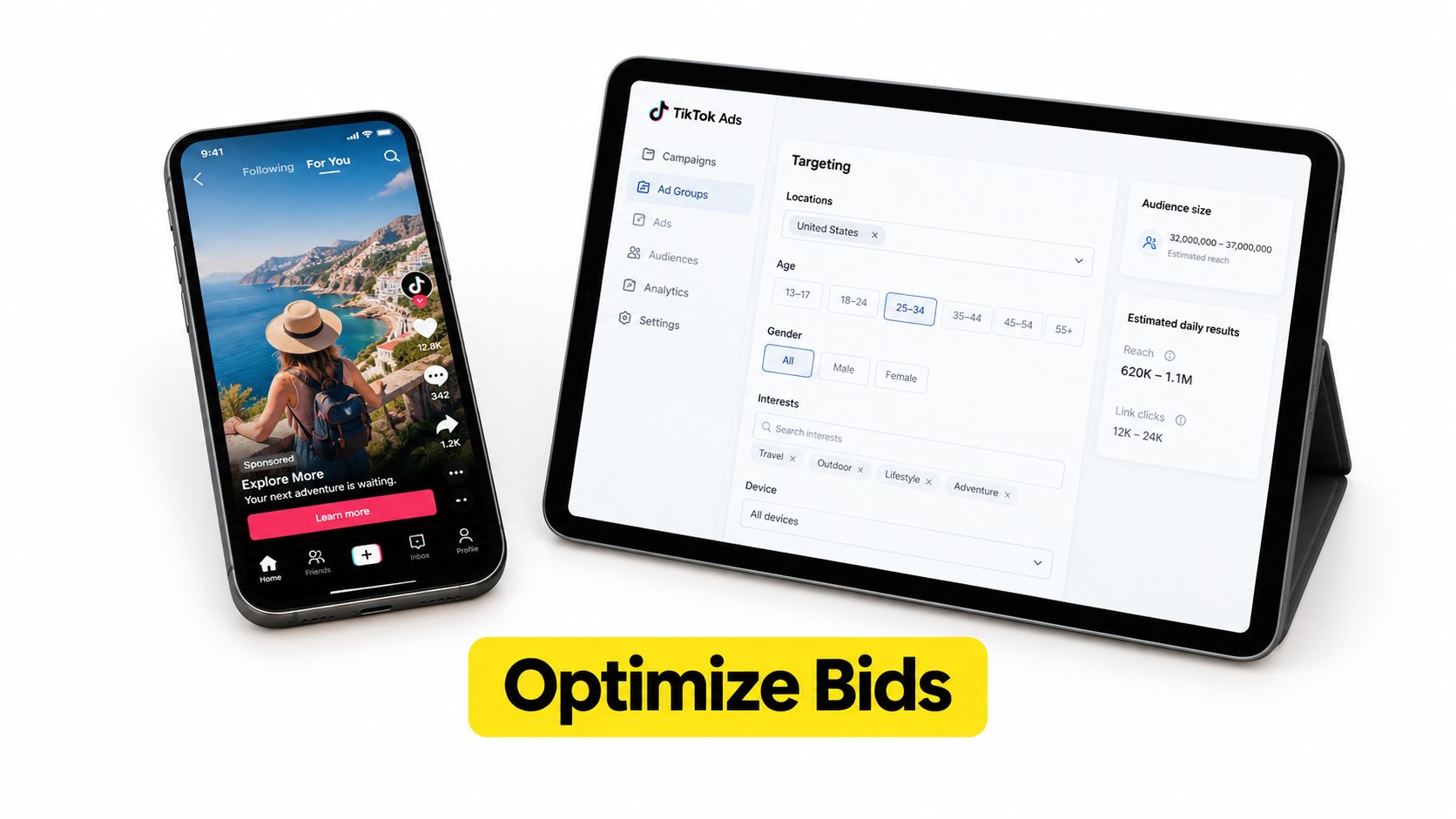
The ad group is where your campaign becomes an auction decision. Keep the first structure readable. One ad group should represent one clear audience and optimization approach, not a pile of interests, countries, funnel stages, and creative theories.
Start broad enough for TikTok to find relevant users. Use one market and a clear customer profile, then add interest or behavior signals only when you have a reason to constrain delivery. Exclude recent purchasers from prospecting when repeat exposure would waste spend or distort the test.
Let the creative do the targeting
TikTok users respond to content that feels native to the feed. Build vertical videos with the offer visible early, captions burned in, and a clear first-line hook. Use a problem-first angle for people who recognize the pain, a demonstration angle for people who need proof, and a social-proof angle for people who need reassurance.
Upload several materially different variants rather than tiny edits of one video. Change the opening, presenter, proof point, or offer framing. If every asset uses the same hook, you aren't testing creative. You're duplicating it.
Automatic placements are a sensible starting point when you don't yet have delivery evidence. Manual placement control can be useful when brand safety, inventory quality, or market restrictions require it, but don't make placement the first variable you change. The creative and landing page usually deserve attention earlier.
A usable naming convention might look like:
Use the same logic in campaign, ad group, ad, and UTM names. Clear naming turns reporting into analysis. Poor naming forces someone to open every ad just to understand what it was supposed to test.
Choose the bid and budget around the event
Use the bidding option that matches your signal quality. Lowest Cost is more practical when conversion feedback is limited. A value-focused strategy makes more sense when TikTok can distinguish valuable purchases from low-value actions and your event data is dependable.
Don't set a bid so low that the ad group cannot enter the auction consistently. Don't set a budget so high that one unproven creative absorbs the account's testing capacity. Start with a ceiling you can review, then increase spend only after the campaign demonstrates that it can generate the event you defined before logging in.
The TikTok advertising fundamentals guide gives advertisers a useful launch framework built around core events, matching, and cookie settings. Use the platform's own setup guidance as the foundation, then layer your commercial targets and creative testing plan on top.
The video below can help your team visualize the campaign-building workflow before publishing.
Launch, QA, and Read the First 72 Hours of Data
Treat the first few days as diagnosis, not optimization. Your job immediately after launch is to verify delivery, tracking, creative rendering, destination behavior, and spend. Resist the urge to rewrite the campaign every time one metric moves.
Open the ad preview and compare it with the served experience. Check the landing page on a mobile device, test the form or checkout, and confirm that the conversion event fires on the final action. Use Pixel Helper and Test Events again after publishing if the live URL, identity, or tracking parameters changed.
Read metrics in the order they happen
Start with attention. A weak hook usually appears before a weak conversion rate. Check whether viewers stay long enough to understand the offer, whether the opening frame communicates the problem, and whether the call to action matches the landing page.
Then inspect delivery and response. The independent benchmark included in TikTok's fundamentals material reports a blended 1.56% conversion rate, 0.61% CTR, $4.08 CPM, and 1.51 ROAS, with substantial variation by industry. Treat those figures as directional context, not a promise for your account or a reason to change a campaign after a small amount of data.
Practical rule: If people don't stop to watch, changing the bid won't rescue the ad. Fix the opening before you redesign the auction strategy.
A useful review sequence looks like this:
Immediately: Confirm approval, spend, delivery, landing page behavior, and event firing.
During the first day: Review hook strength, early view behavior, clicks, and obvious tracking failures.
After additional delivery: Compare CPM, CTR, CPC, and conversion quality against your own account baseline.
At the end of the diagnostic window: Evaluate CPA or ROAS only after the campaign has enough conversion feedback to support a decision.
Don't edit multiple variables at once. If the creative is weak and you change targeting, bid, budget, and landing page together, you won't know which change mattered. Replace a poor creative first when the attention signals are weak. Adjust the bid or budget only when the creative earns attention and the campaign still cannot produce the intended event.
Make changes with a reason
A campaign that spends but generates no meaningful event may have a measurement problem, an offer problem, or a traffic-quality problem. A campaign that gets clicks but no completed action usually needs a landing-page and message review before another audience expansion.
If the account is spending too slowly, inspect the bid, audience size, approval status, and event configuration. If it spends rapidly with weak quality, tighten the business rule around what counts as success instead of celebrating delivery.
Use the first 72 hours as a structured observation period. TikTok's paid channel has become a mainstream acquisition system, but no platform can compensate for an undefined offer or a broken event. The strongest operator knows which problem the data has identified before making the next edit.
Post-Launch Checklist, Compliance, and Common Pitfalls
A campaign isn't launch-ready because the ad was approved. It's ready when measurement, policy, and operating discipline agree. Build a scorecard and use it for every new campaign, even when the account already has a working pixel.
Measurement integrity
Confirm that browser and server-side events, when both are used, are deduplicated. Validate the event names, values, currency, and destination URLs. Document the attribution windows and reporting views your team trusts, then compare TikTok results with backend orders, CRM outcomes, or completed sales rather than relying on one dashboard.
Privacy constraints make this more important. TikTok's transparency reporting describes ongoing reporting activity in the European Union and continuing concerns around the completeness of ad content, targeting, and funding information. Review the TikTok transparency scoreboard and platform materials when your campaigns operate in markets with stronger disclosure and data-governance requirements.
Policy compliance
Check the offer, landing page, claims, targeting, and creative together. Health and finance advertisers should document the evidence behind claims and confirm the required disclosures before submission. Use music that your business is licensed to use through TikTok's permitted commercial options, and apply branded-content settings when the relationship or format requires them.
Don't use a landing page that promises something the ad doesn't provide. Avoid prohibited product categories, misleading interface elements, unsupported guarantees, and aggressive claims that the compliance reviewer can't verify. A rejected ad is inconvenient. A restricted account can disrupt the entire acquisition system.
Optimization hygiene
The most common first-week mistakes are operational:
Changing too much: Editing targeting, bids, budget, and creative together destroys the test.
Chasing cheap delivery: Low CPM isn't useful when the resulting visitors don't become customers or qualified leads.
Stacking audiences: Overlapping ad groups can compete for the same people and obscure the result.
Ignoring fatigue: Falling attention and weaker engagement often signal that the hook needs replacement.
Trusting platform data blindly: Compare reported conversions with backend outcomes, especially when privacy restrictions affect attribution.
Treating every lead as equal: Connect lead events to CRM status so the campaign can be judged on commercial quality.
Review the scorecard on a regular weekly cadence. Assign one person to check measurement, one owner to review policy and creative approvals, and one decision-maker to approve budget changes. When TikTok flags or disables an account, stop creating duplicate accounts or repeatedly submitting the same asset. Capture the notice, review the affected creative or business information, and use the platform's appeal and support process with consistent documentation.
Wojo Media offers TikTok lead-generation campaigns using in-feed ads and Instant Forms, alongside strategy, creative, landing-page, and backend KPI support. If you want an experienced paid-media team to audit your tracking, structure your first TikTok launch, and connect campaign decisions to qualified business outcomes, visit Wojo Media and request a strategy conversation.
Comments